Understand the relationships
ARIA connects monitor results, operating conditions and parameter behavior.

.obdai-policy-preview{color:#e0e0e0;line-height:1.7;margin:25px 0;overflow-wrap:anywhere}
.obdai-policy-preview h2,.obdai-policy-preview h3,.obdai-policy-preview summary{color:#e866dd}
.obdai-policy-preview a{color:#b7bfff;text-decoration:underline}
.obdai-policy-preview .preview-note{border-left:4px solid #e866dd;background:#1a1a2e;padding:16px;border-radius:6px}
.obdai-policy-preview .table-scroll{overflow-x:auto;max-width:100%;margin:16px 0}
.obdai-policy-preview table{border-collapse:collapse;width:100%;min-width:550px;color:inherit}
.obdai-policy-preview caption{text-align:left;color:#e0e0e0;padding:8px 0;font-weight:600}
.obdai-policy-preview th,.obdai-policy-preview td{padding:10px;text-align:left;border:1px solid #55516e;vertical-align:top}
.obdai-policy-preview th{background:#25243b;color:#fff}
.obdai-policy-preview details{padding:12px 0;border-bottom:1px solid #55516e}
.obdai-policy-preview summary{cursor:pointer;font-weight:600}
.obdai-policy-preview :focus-visible{outline:3px solid #b7bfff;outline-offset:3px}
.obdai-policy-preview .ultra-strip{display:grid;grid-template-columns:repeat(auto-fit,minmax(200px,1fr));gap:12px;margin:16px 0;padding:0;list-style:none}
.obdai-policy-preview .ultra-strip li{background:#1a1a2e;border:1px solid #55516e;border-radius:6px;padding:14px}
.obdai-policy-preview .ultra-strip strong{color:#fff;display:block}
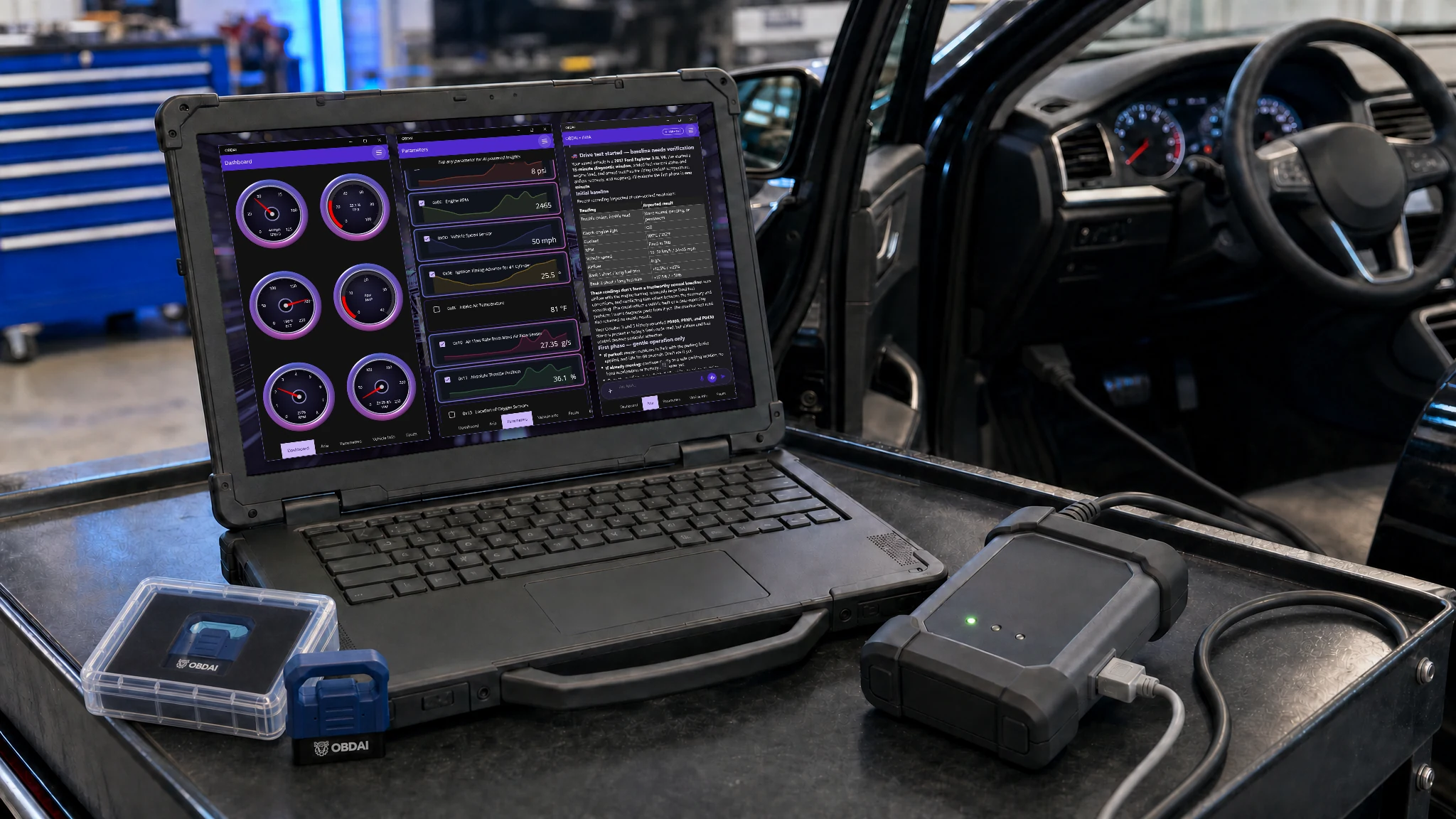
OBDAI Ultra — J2534 for Windows + GEN2 + Annual Service
Connect your J2534 VCI on Windows and put ARIA to work on the next problem car. She selects the readings, follows the evidence and directs the next test. As soon as you get your license key, download the Windows app and fire it up.
$399 first year with shipped GEN2 · $365/year service renewal
VCI, PC and tablet not included. GEN2 wireless adapter included.
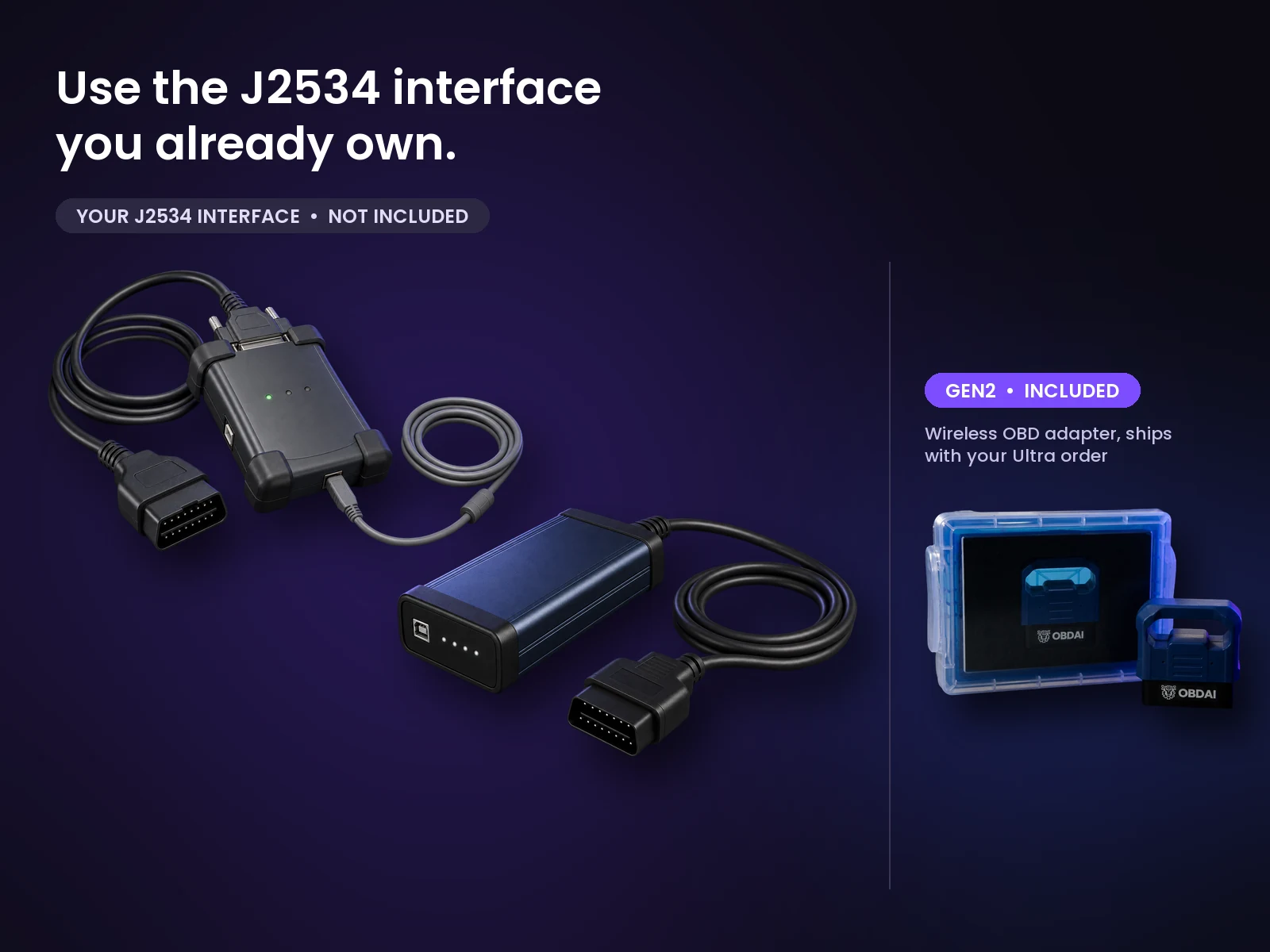
OBDAI Ultra works with Windows J2534-compatible interfaces. OBDAI implements the J2534 04.04 and 05.00 standards, so compatibility extends across manufacturers. Common interfaces include the devices below.
Ready for upcoming OEM parameters. Some upcoming manufacturer-specific parameters will require a compatible J2534 interface. Others will also be available through GEN2.
| Brand or family | Look for your interface |
|---|---|
| Bosch / OTC | Mastertech M-VCI / Mastertech VCI; Mastertech II / MTECH2; Bosch Flasher Pro; MTS 6531; GVCI-MX / MTS 6534; MTS 6512, 6513, 6516 and 6517; ADS-series VCI; OTC Evolve VCI |
| General Motors | GM MDI; GM MDI 2 / EL-52100 |
| Ford | VCM II / VCM2; VCM 3 / VCM III; VCMM |
| Honda / Acura | Bosch MVCI; DENSO DST-i; DST-nano; Antares Capsule / HAC |
| CarDAQ / Drew Technologies / Opus IVS | CarDAQ-Plus; CarDAQ-M / Mega-CAN; CarDAQ-Plus 2; CarDAQ-Plus 3; CarDAQ Pro; SuperGoose-Plus; DrewLinQ |
| Mongoose / Toyota Techstream Lite | Mongoose ISO/CAN; MongoosePro Chrysler, Ford, GM2, Honda, Jaguar/Land Rover, Nissan, Toyota2 and VW/Audi; Mongoose-Plus Ford2, GM3, Honda2, Subaru, Nissan2, VW/Audi, ISO/CAN3 and Chrysler2; Mongoose-Plus MFC / MFC3 / Toyota3; MongoosePro MFC2; Toyota Techstream Lite with its Mongoose interface |
| Snap-on | Pass Thru Pro II; Pass Thru Pro III; Pass Thru Pro IV / EETA113D |
| Matco | MDMaxBox / MDMAXBOX; MaxSync |
| DENSO | DST-i; DST-nano; DST-010 / DN-DST-010 variants for Toyota, Honda, Daihatsu, Subaru, Mazda and Hino |
| DG / AutoEnginuity / Cardone | VSI-2534 / VSI-J2534; VSI NxGen; VSI NxGen PLUS; d-briDGe; d-briDGe PRO; PX3; Cardone FLASH2 |
| Autel | MaxiFlash Pro; MaxiFlash Elite; JVCI; JVCI+; VCI; VCMI; VCMI2; XLink |
| LAUNCH | J-Box2; SmartLink C; SmartLink C V2.0; SmartLink C V3.0 |
| TOPDON | RLink J2534; RLink Lite; RLink X7; RLink X3; Phoenix MDCI Pro |
| THINKCAR / XTOOL | THINKCAR ThinkLink; MUCAR 892BT PRO VCI; XTOOL XVCI MAX / J2534X; XPortal |
| Scanmatik / Tactrix | Scanmatik SM2; SM2-PRO; SM3; Tactrix Openport 2.0 |
| ACTIA / Controller Technologies | ACTIA PassThru+ XS 2G / XS2G; CTC Pulsar; UCAN; UCAN2; VehicleBox; DRB+ |
Install your interface manufacturer’s Windows J2534 driver, then select J2534 in OBDAI.
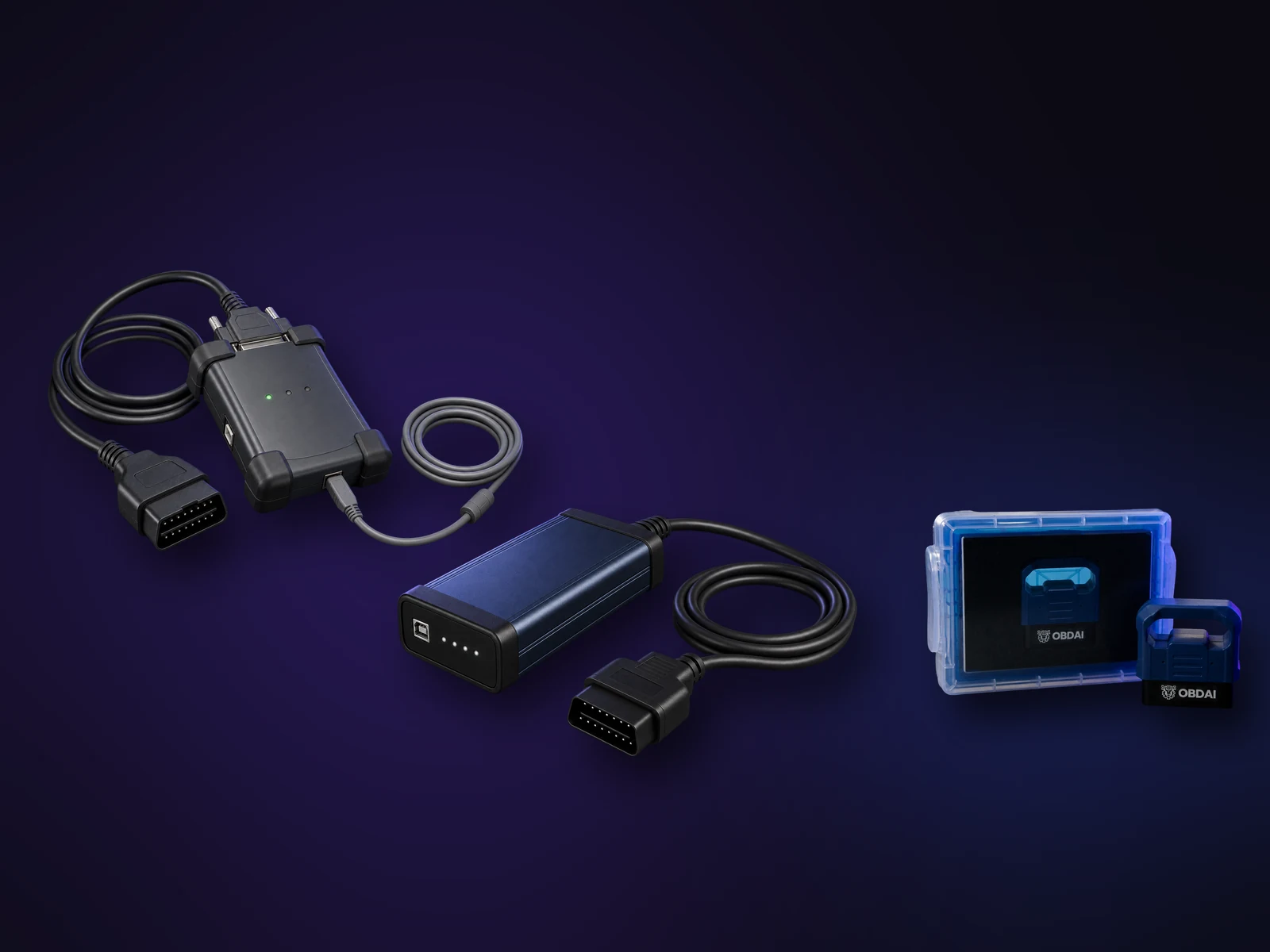
Choose J2534 in the OBDAI Windows app and you get the same full OBDAI workflow you’d get from our own adapters, running through the interface you already trust.
Setup help. Contact support@obdai.app for OBDAI setup help. Get VCI drivers and firmware updates from your interface manufacturer.
.uj-screens{margin:8px 0 40px;font-family:Poppins,Arial,sans-serif}.uj-screens .uj-eyebrow{font:800 11px/1.4 Inter,Arial,sans-serif;letter-spacing:.16em;text-transform:uppercase;color:#d4c8ff;display:flex;gap:12px;align-items:center;margin:0 0 10px}.uj-screens .uj-eyebrow:before{content:””;width:26px;height:2px;background:linear-gradient(90deg,#7867ff,#e866dd)}.uj-screens h2{margin:0 0 10px;color:#fff}.uj-screens .uj-lead{color:#c6c3d4;margin:0 0 24px;max-width:760px}.uj-grid{display:grid;grid-template-columns:repeat(3,minmax(0,1fr));gap:24px 20px}.uj-grid figure{margin:0}.uj-grid a{display:block;border-radius:12px;overflow:hidden;border:1px solid #b38ddd33;background:#14101c}.uj-grid img{display:block;width:100%;height:auto;aspect-ratio:16/9;object-fit:contain}.uj-grid figcaption{margin-top:10px;color:#ece7f3;font-weight:600;font-size:15px}.uj-foot{margin-top:18px;font-size:12px;color:#aaa5b9}@media(min-width:768px) and (max-width:1023px){.uj-grid{grid-template-columns:repeat(2,minmax(0,1fr))}.uj-grid figure:first-child{grid-column:1/-1}}@media(max-width:767px){.uj-grid{grid-template-columns:1fr}}
OBDAI Ultra on Windows
Real OBDAI screens showing the J2534 connection, vehicle data and ARIA on Windows. Tap any screen to see it full size.
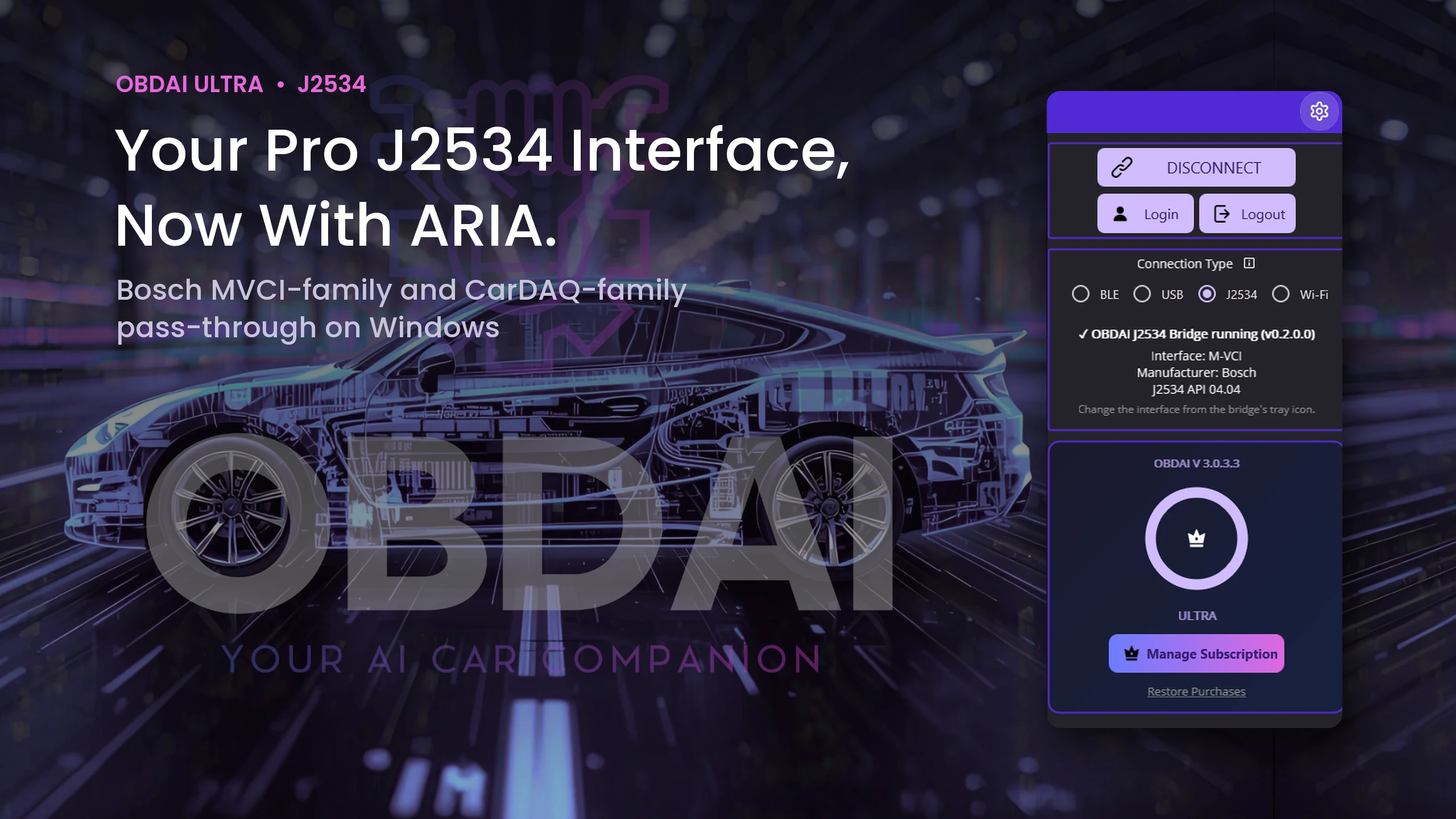
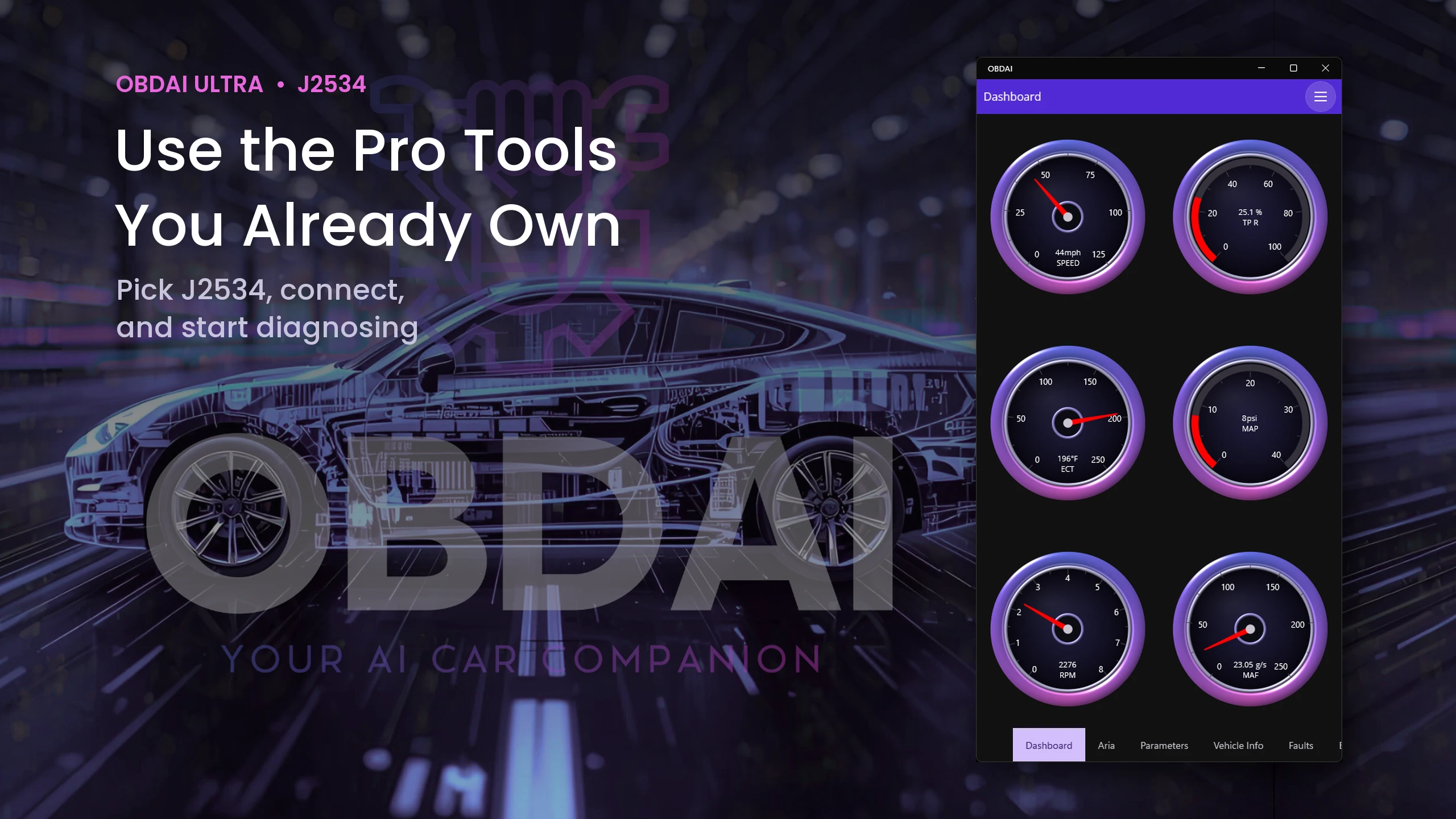
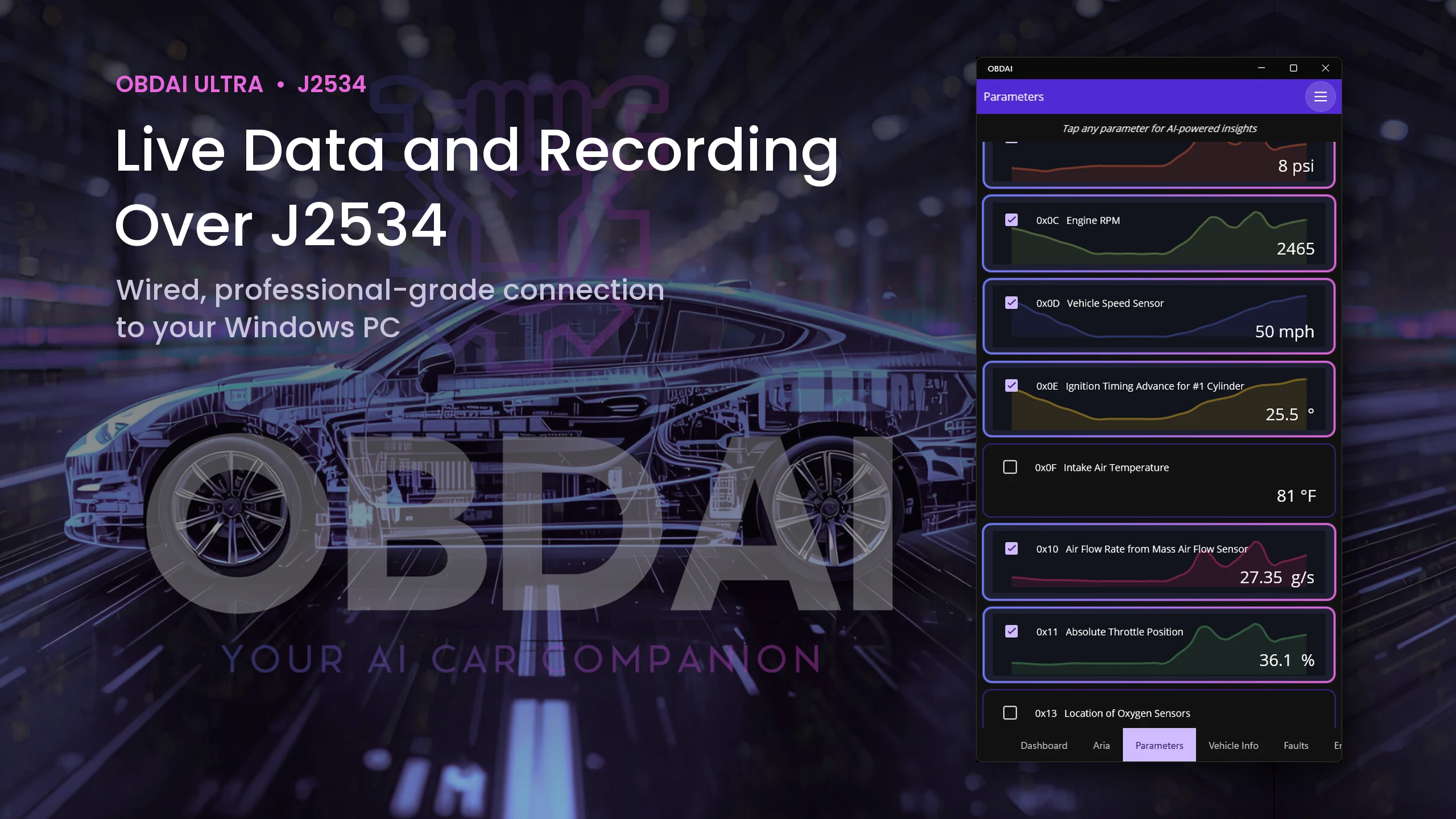
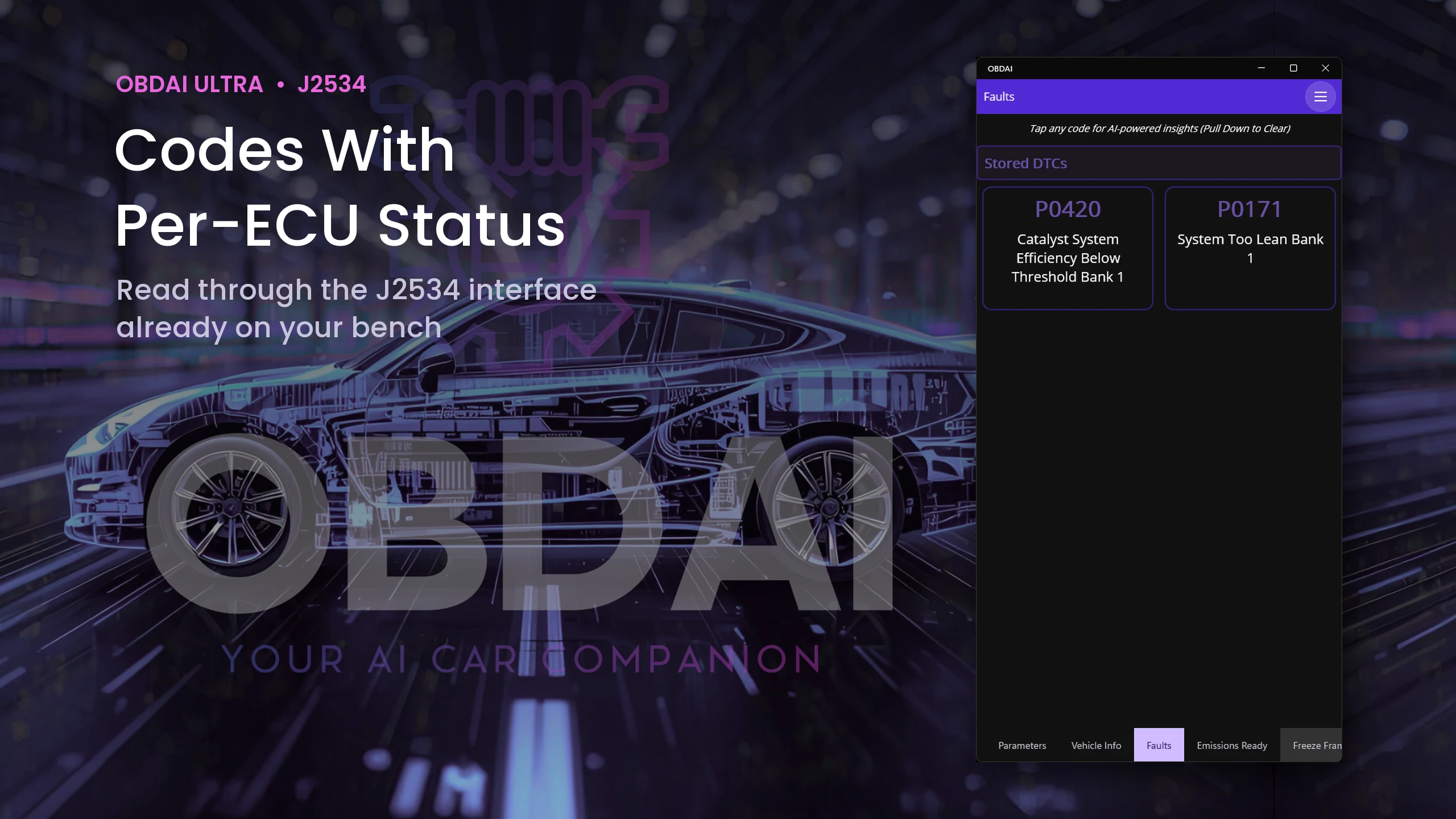
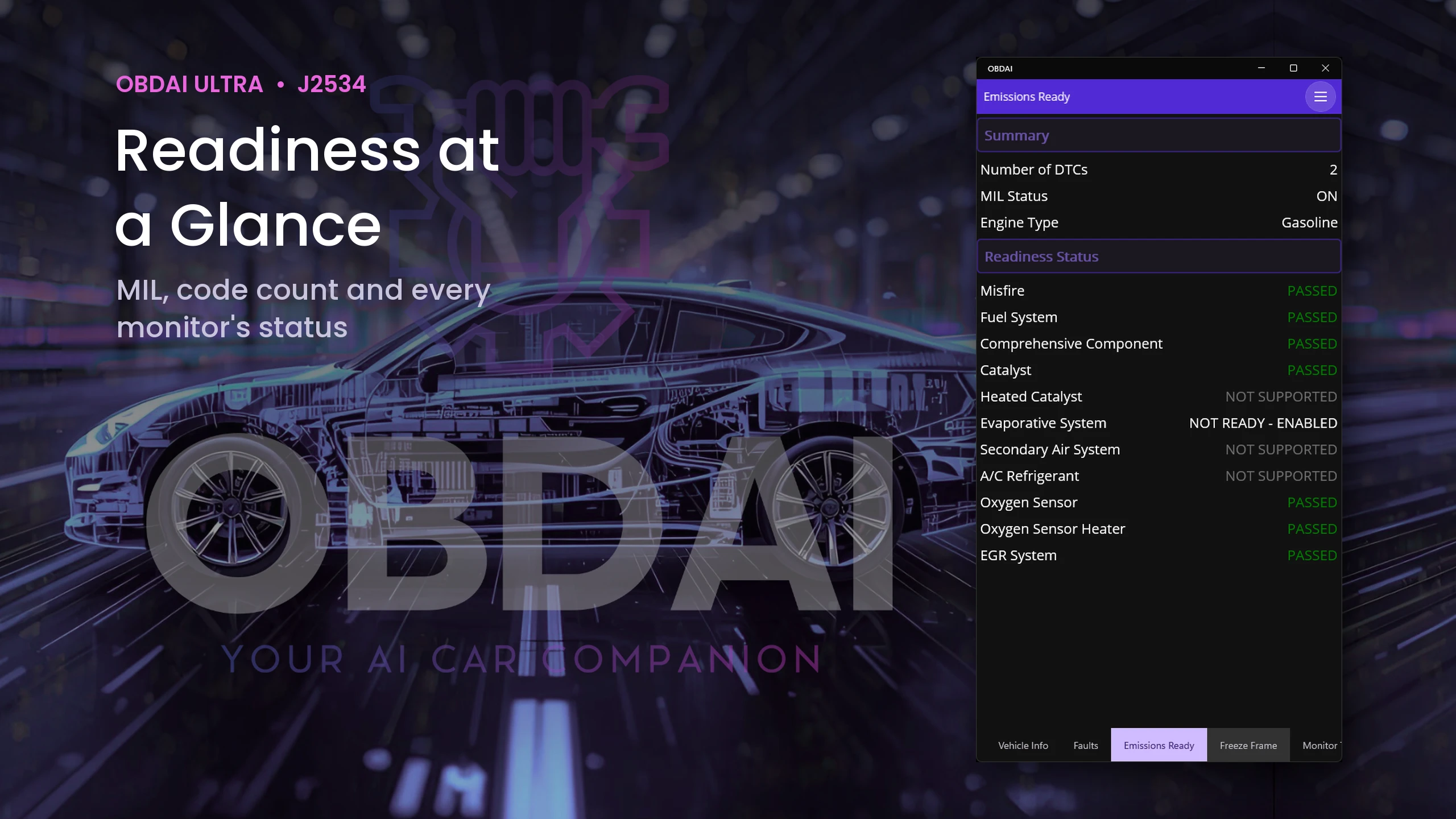
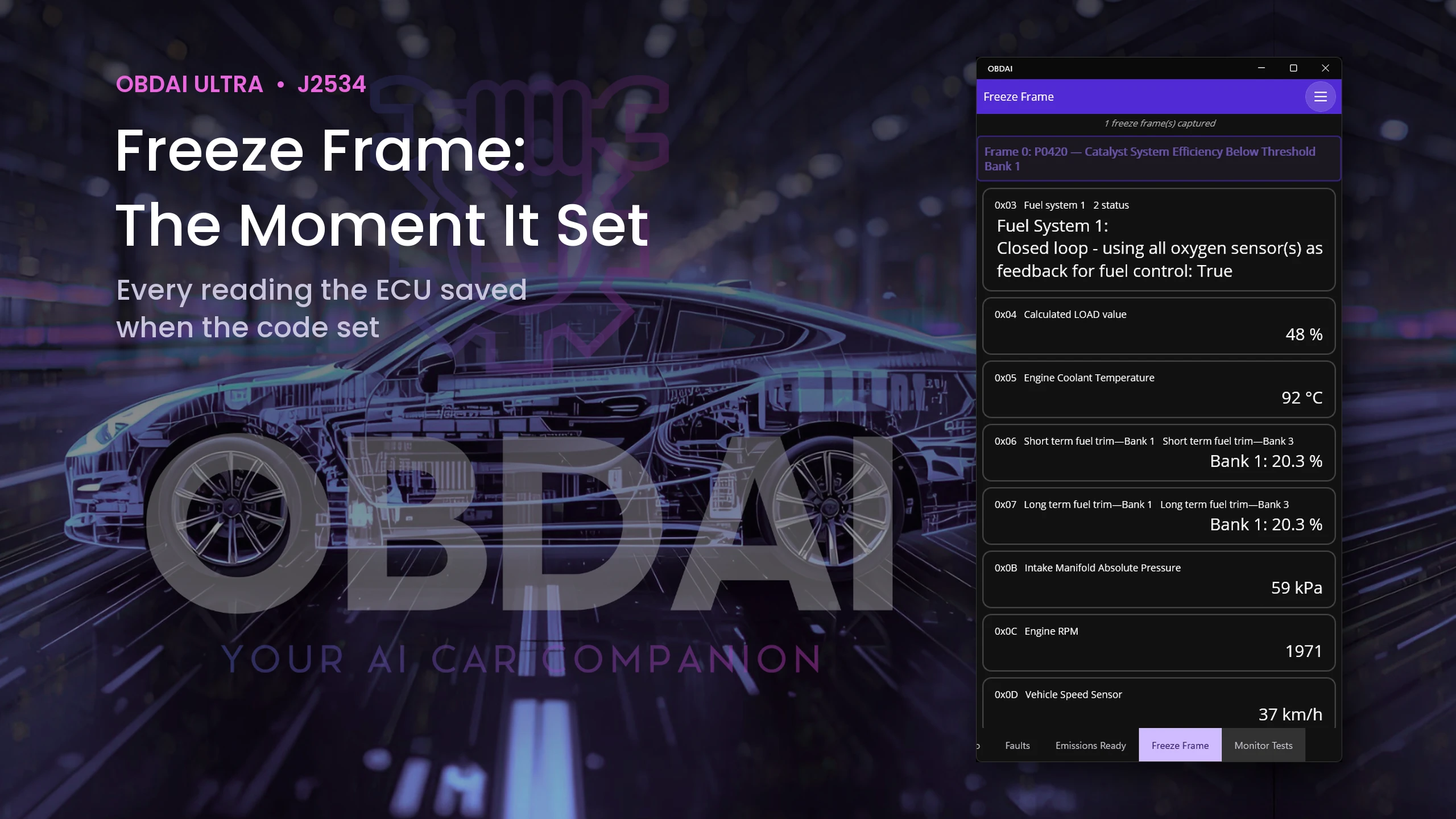
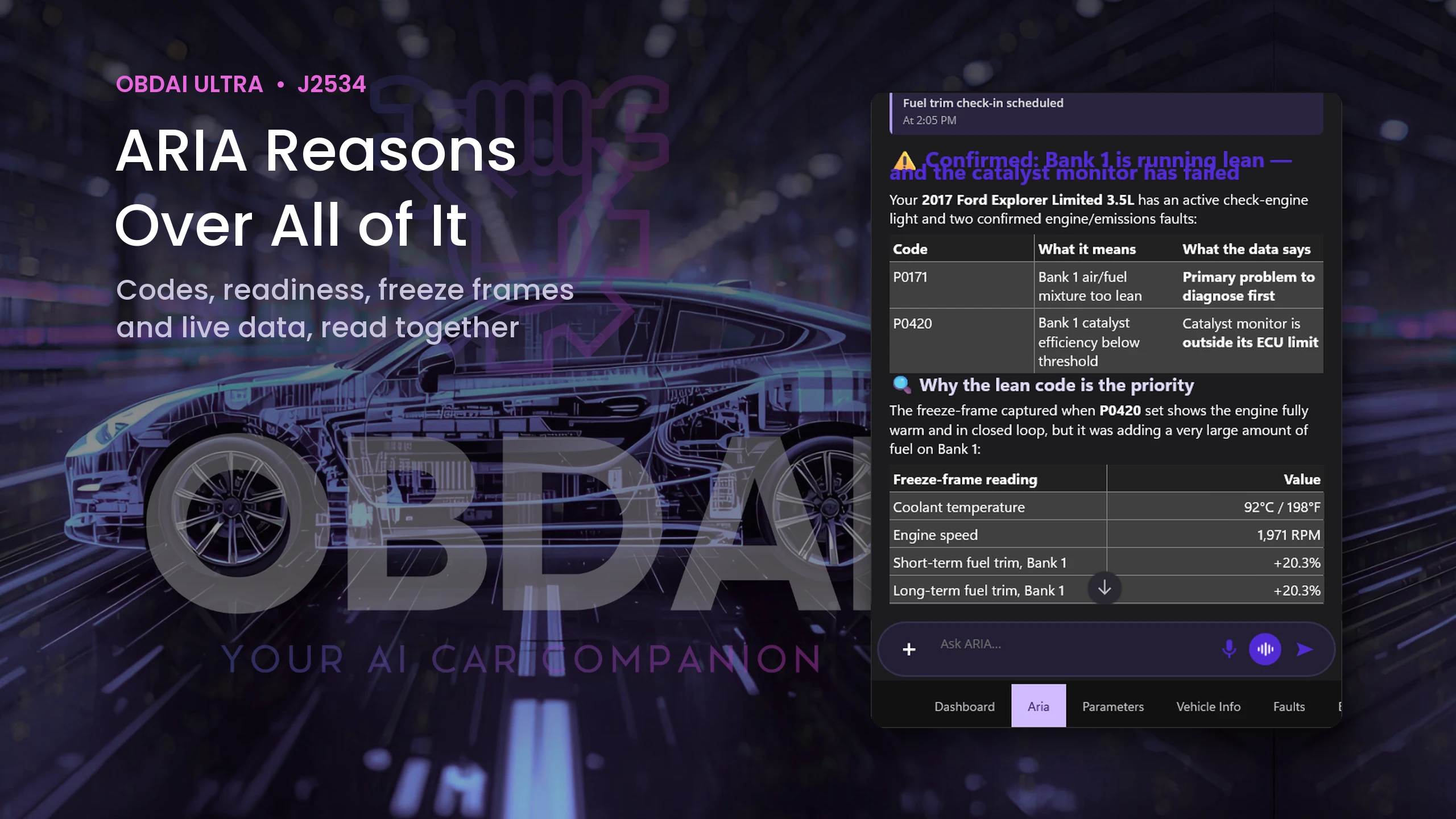
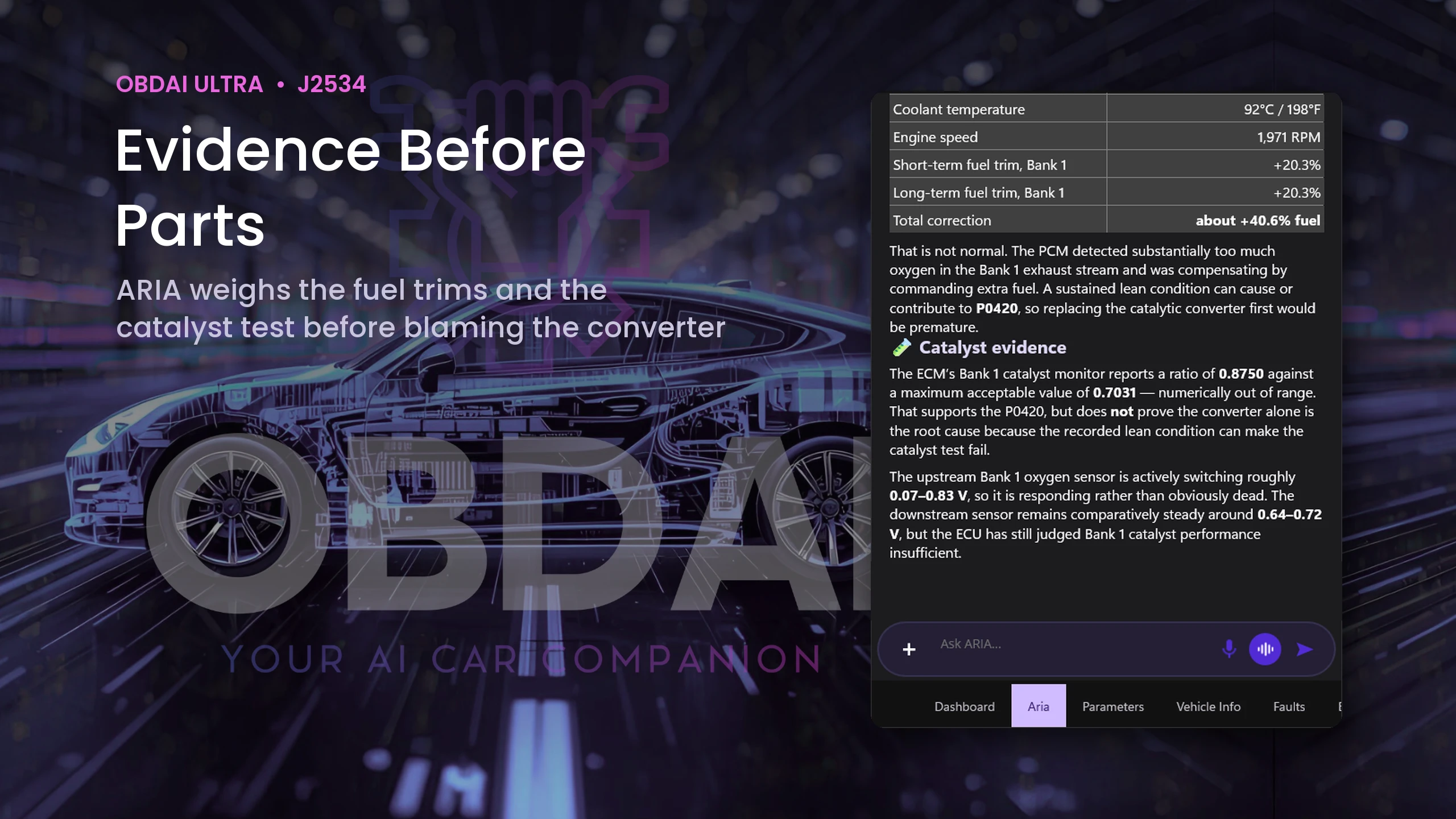
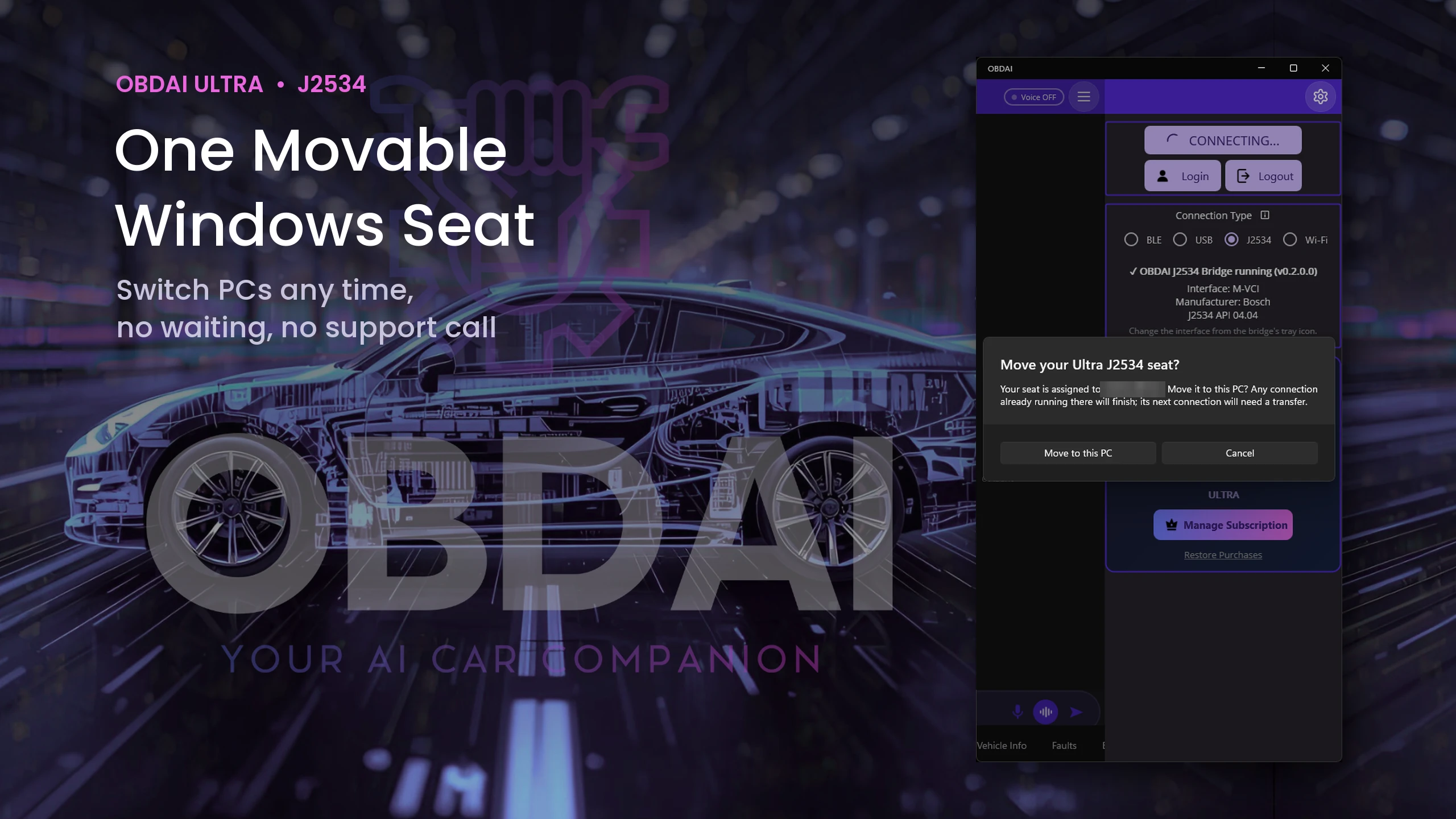
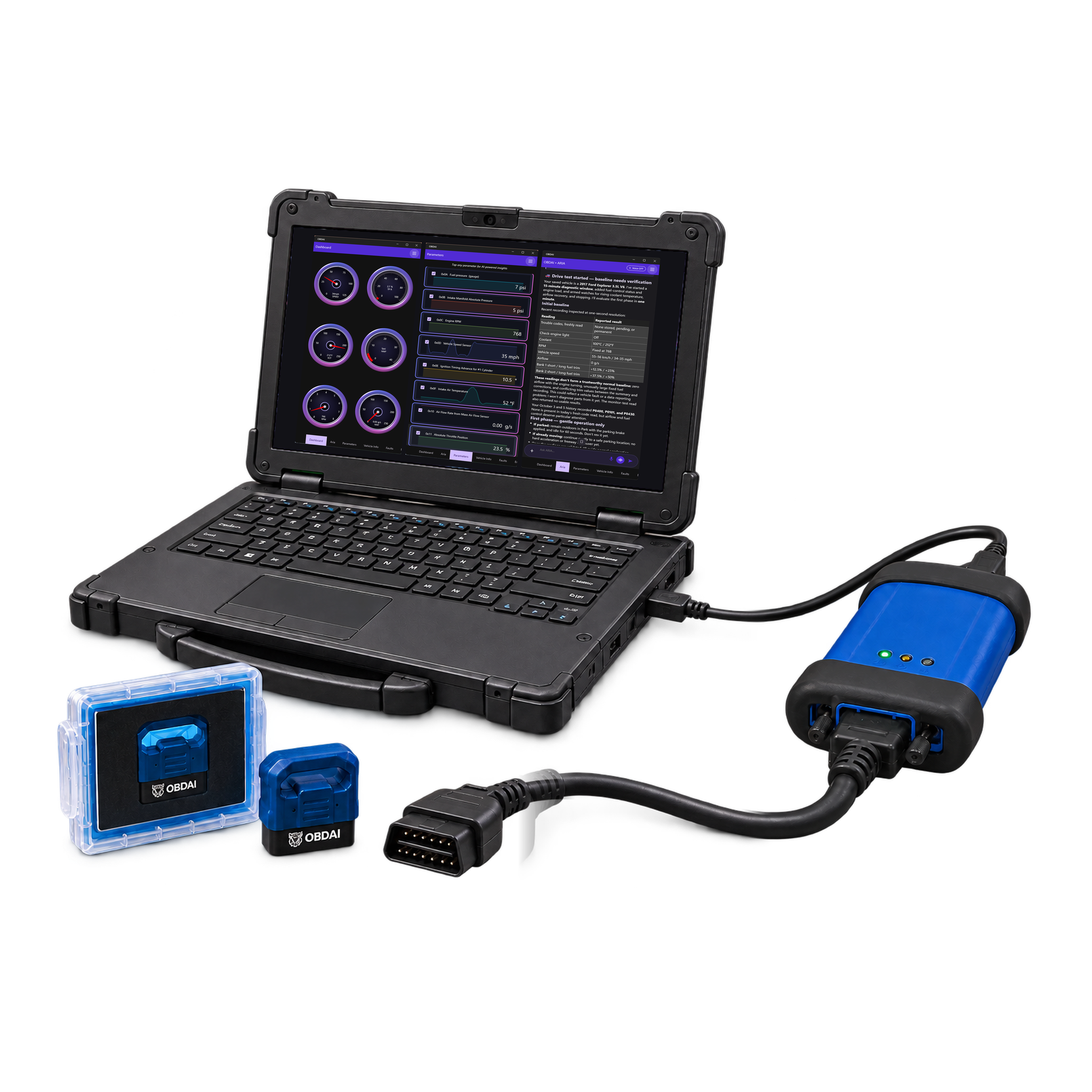
Use your Windows J2534-compatible interface with its manufacturer’s driver. The VCI and Windows PC are not included.
Your license key arrives with your order confirmation, so you can start on your own interface the same day. Your GEN2 ships separately.
Ultra ships the OBD BLE GEN2 for phone, tablet and road tests. Your VCI handles the Windows bench work. Use the GEN2 with the OBDAI app on iPhone, iPad, Android or Windows under the same account.
Ultra is not an add-on. It includes OBDAI Pro, so you keep the full Pro workflow on every device signed in to your account: ARIA diagnostics, condition watches and check-ins, the Pro dashboard, report builder with shop branding, saved reports and PDF downloads, freeze frame and Mode 6 review, and OBDonUDS on the GEN2.
Monthly allowances reset at the start of each calendar month (UTC), do not roll over and have no automatic paid overage. Existing purchased terms remain protected.
| Included | Not included |
|---|---|
|
|
Shipping and tax, if applicable, are shown separately at checkout.
| Plan | Ultra |
|---|
Only logged in customers who have purchased this product may leave a review.
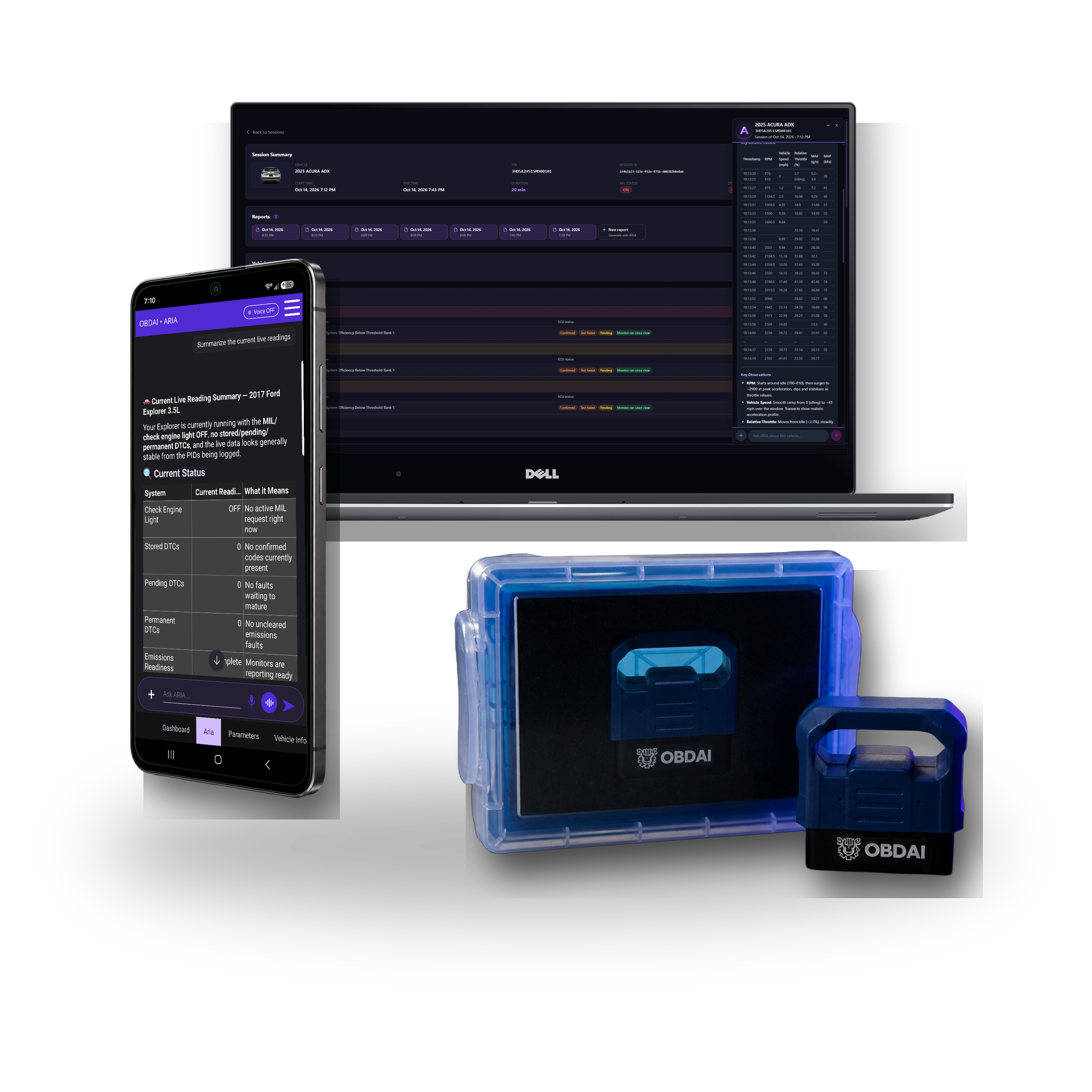
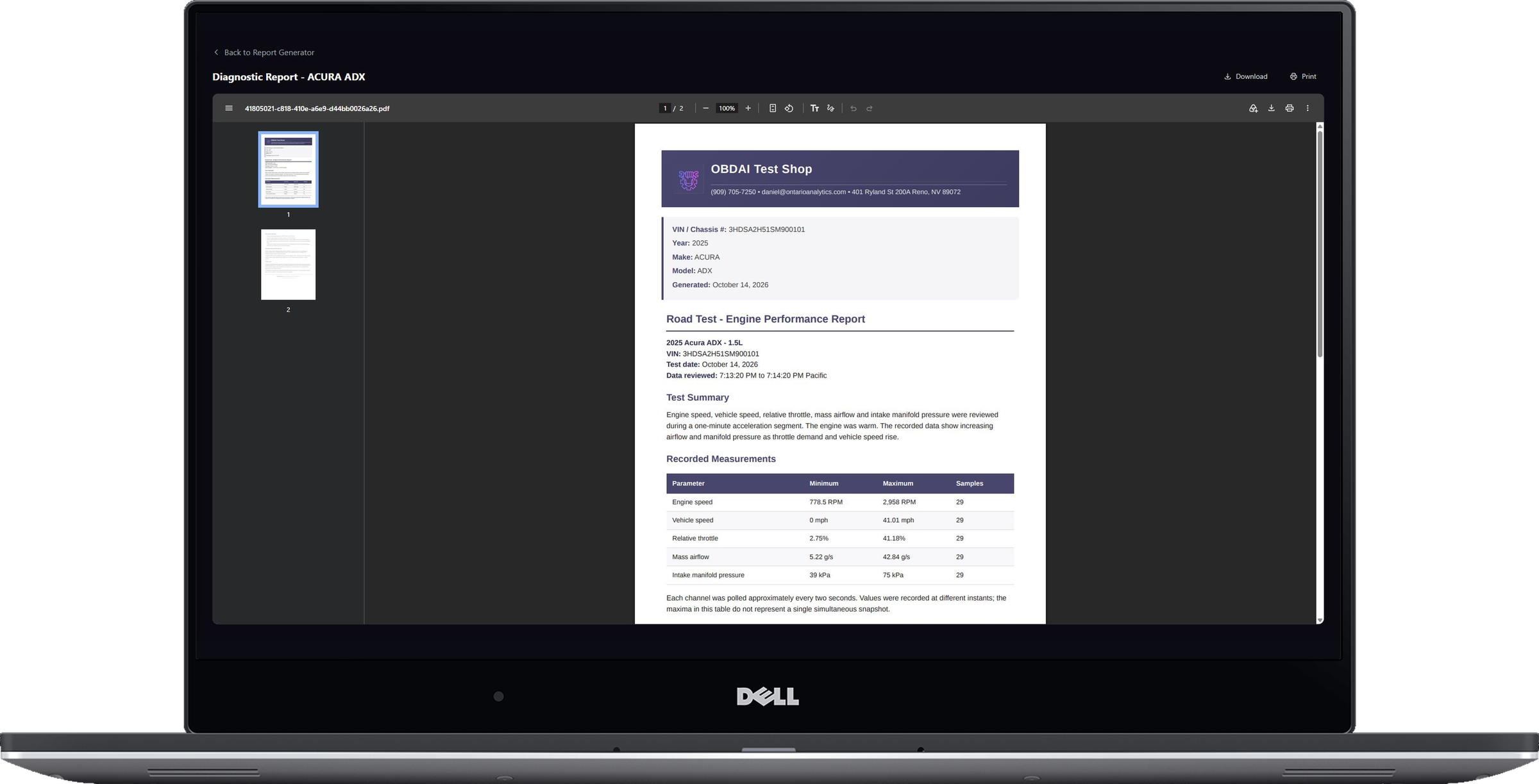
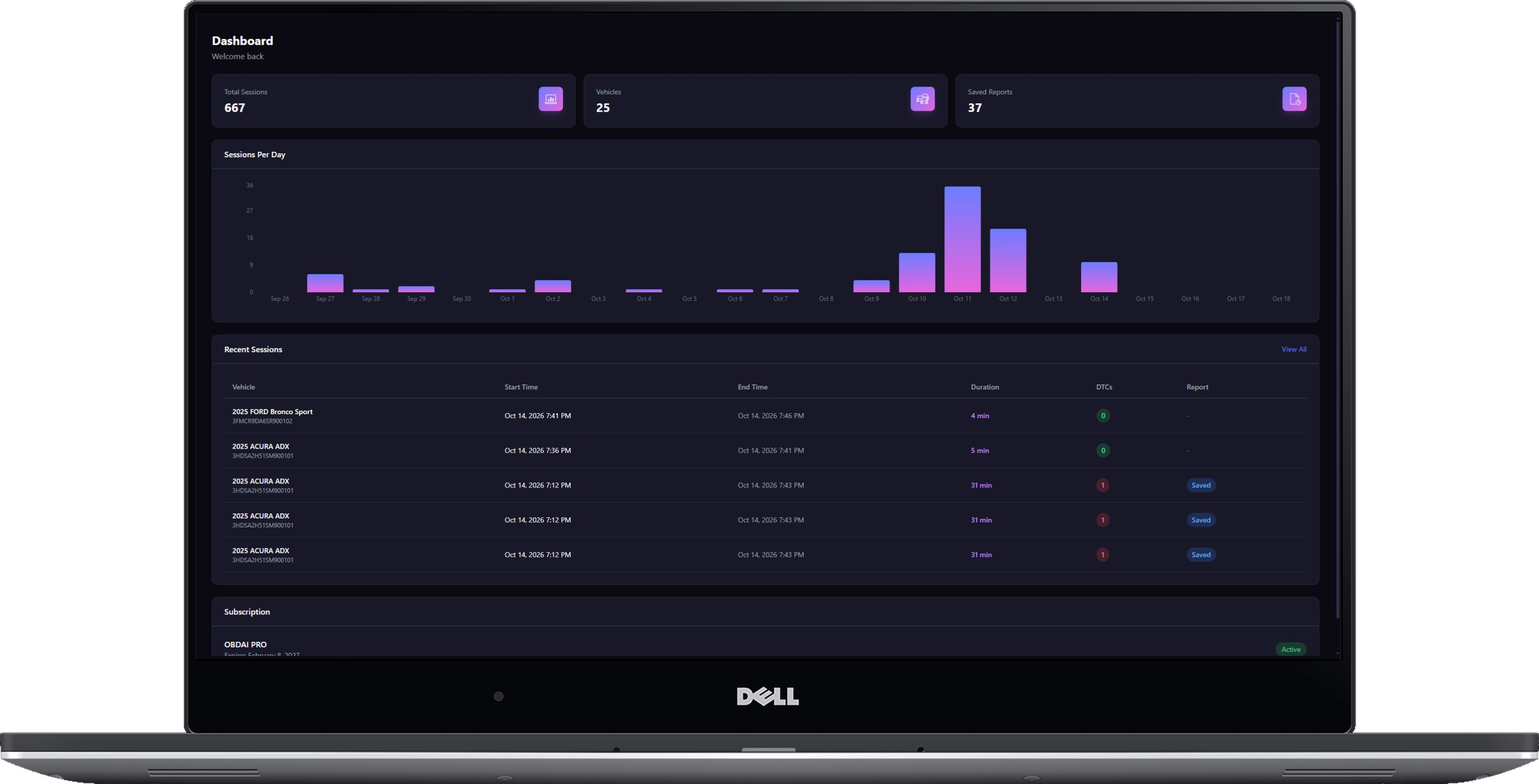
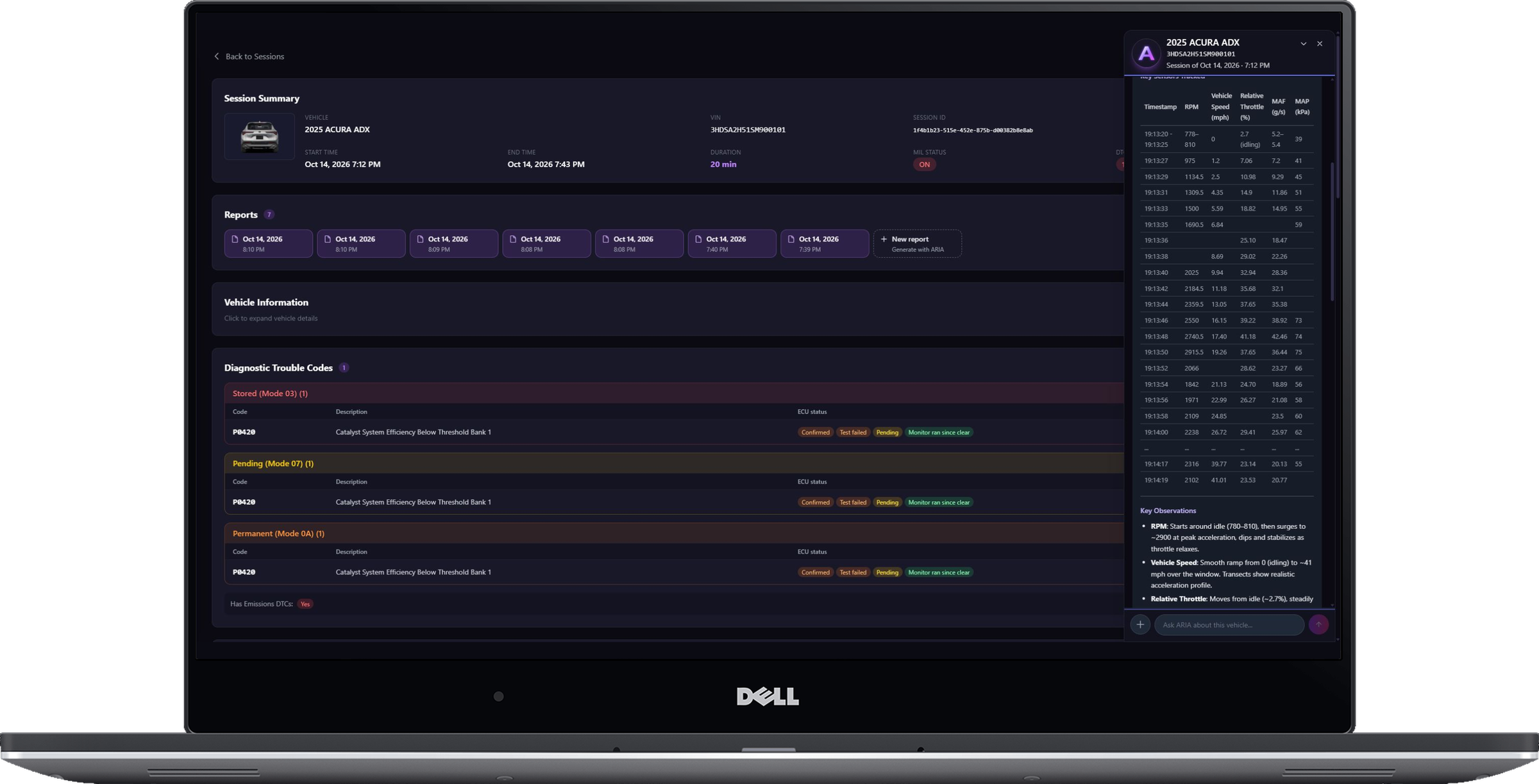
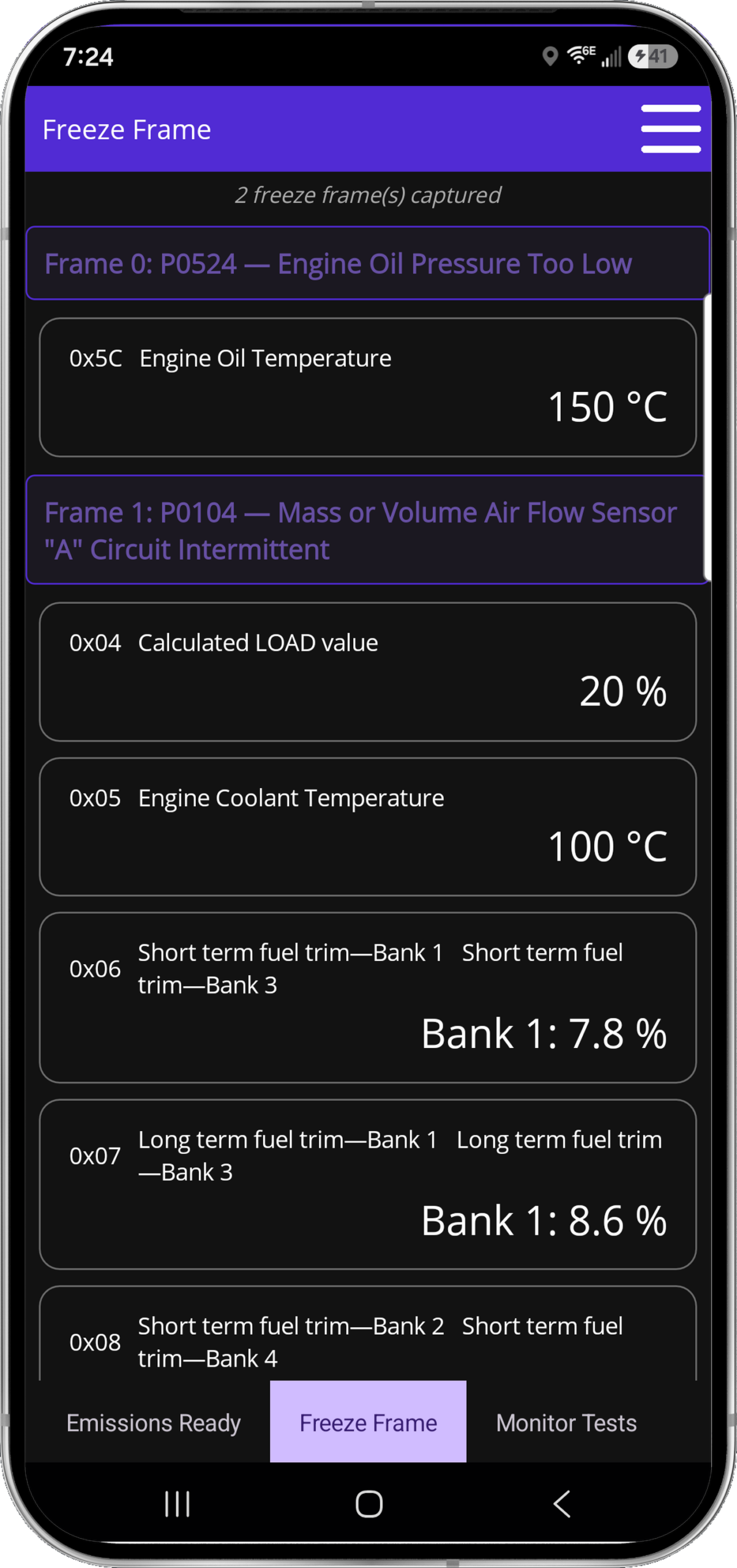
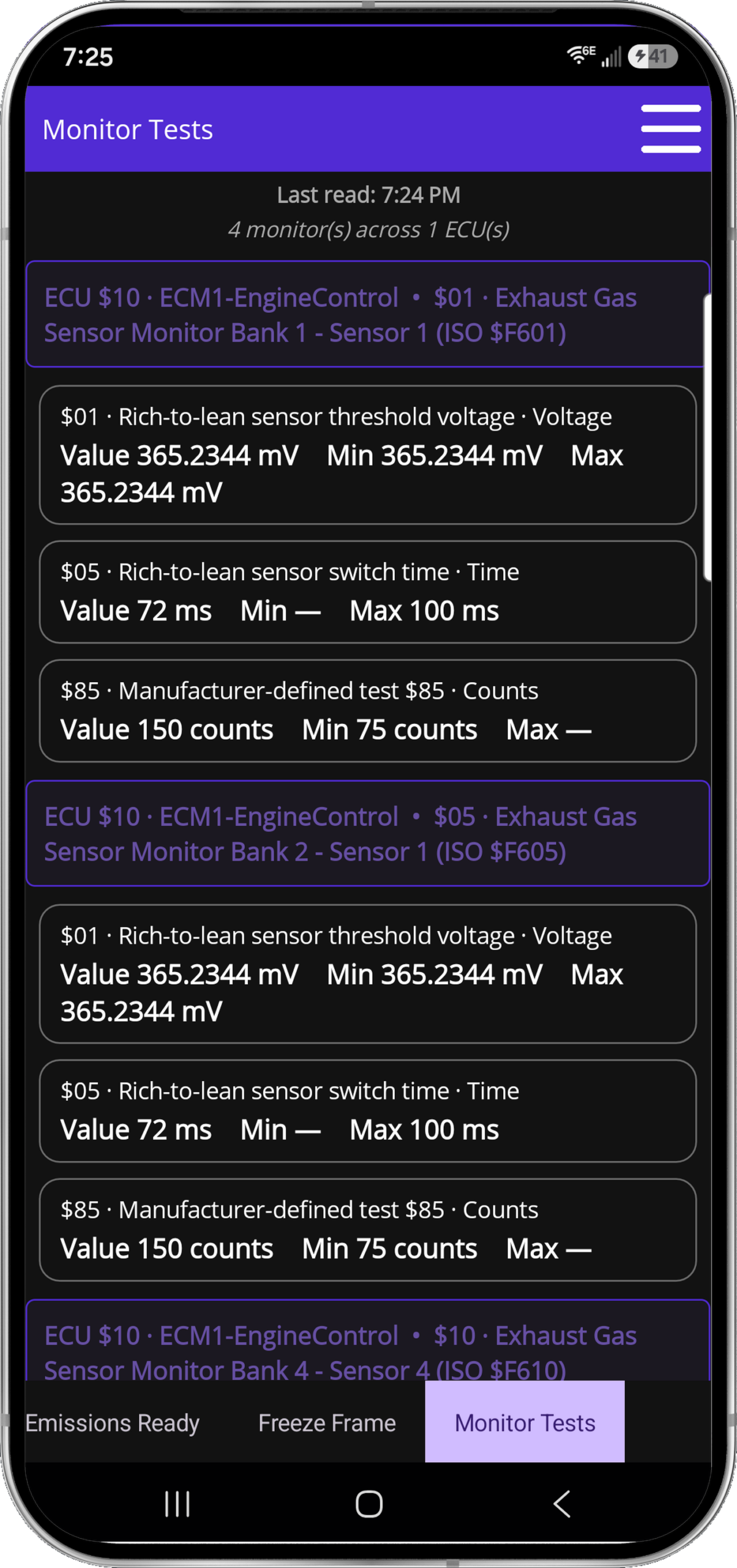
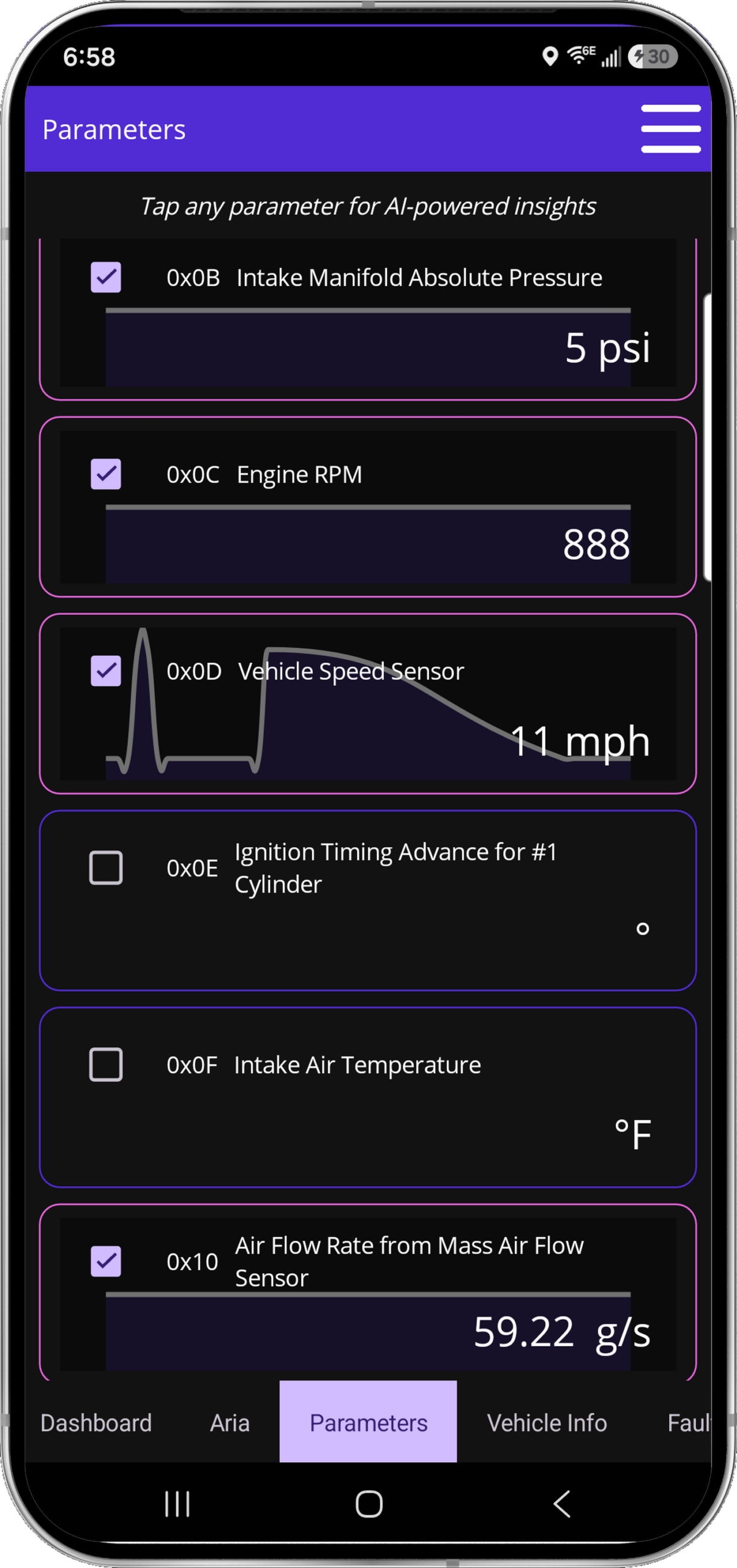
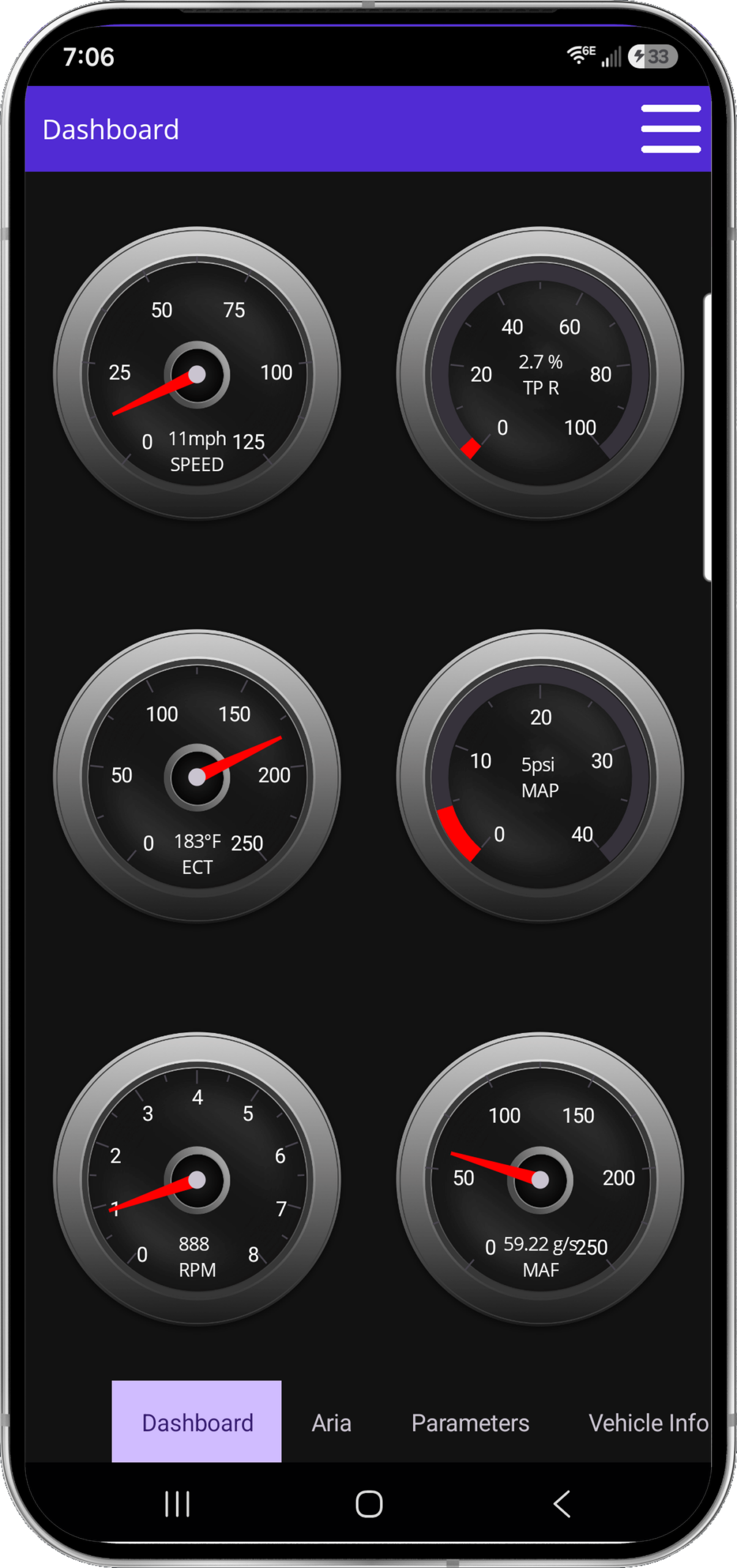

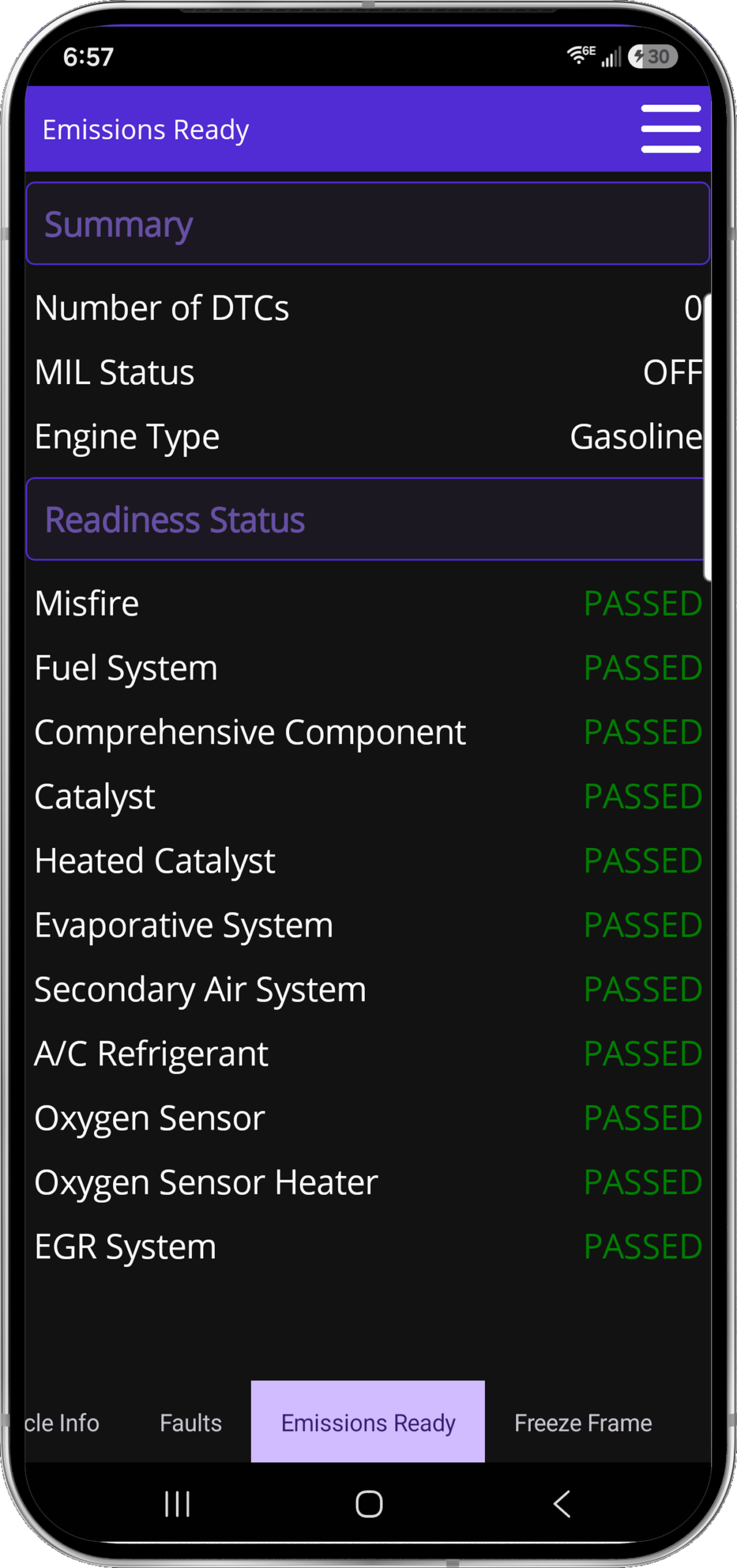
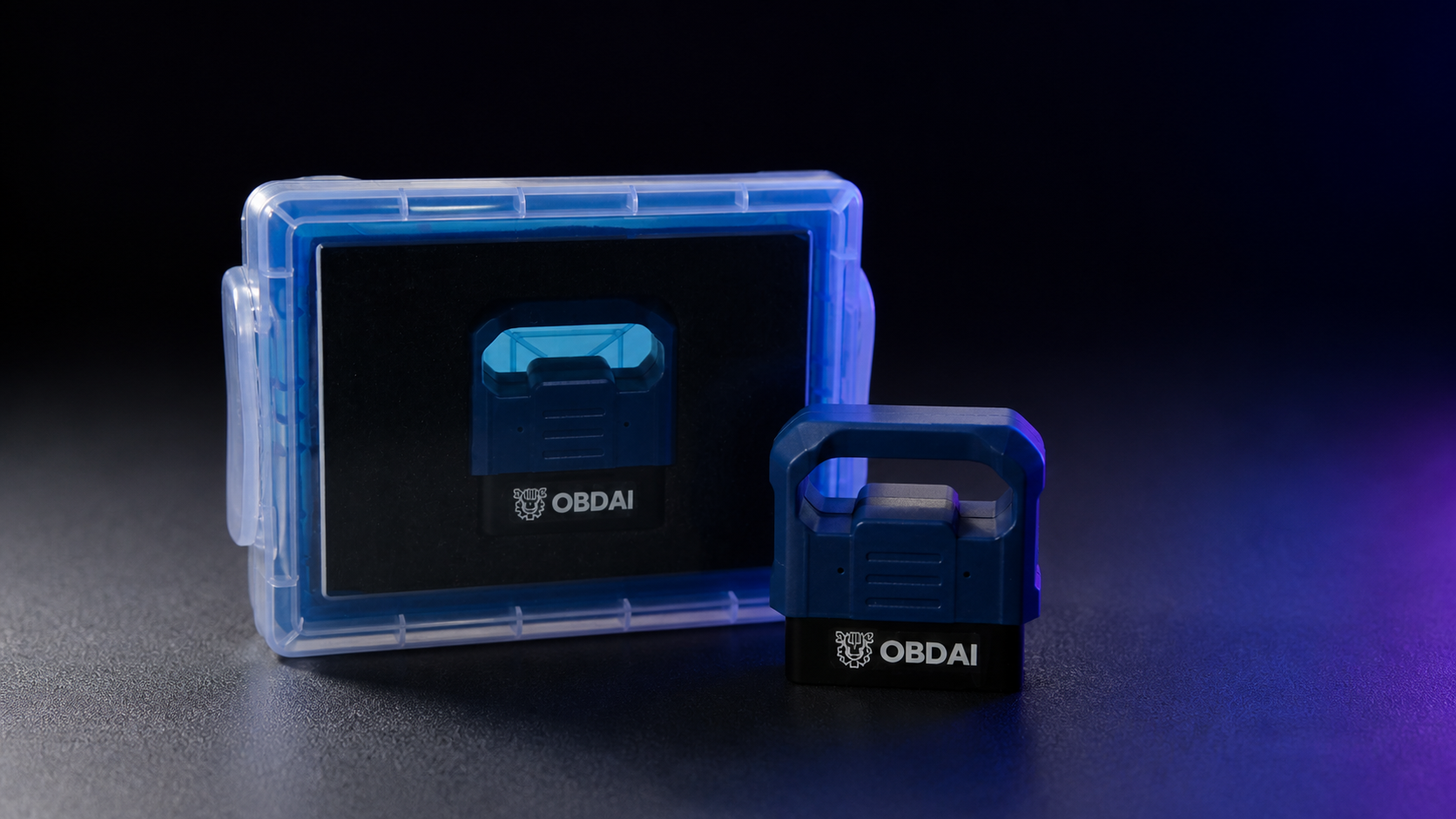

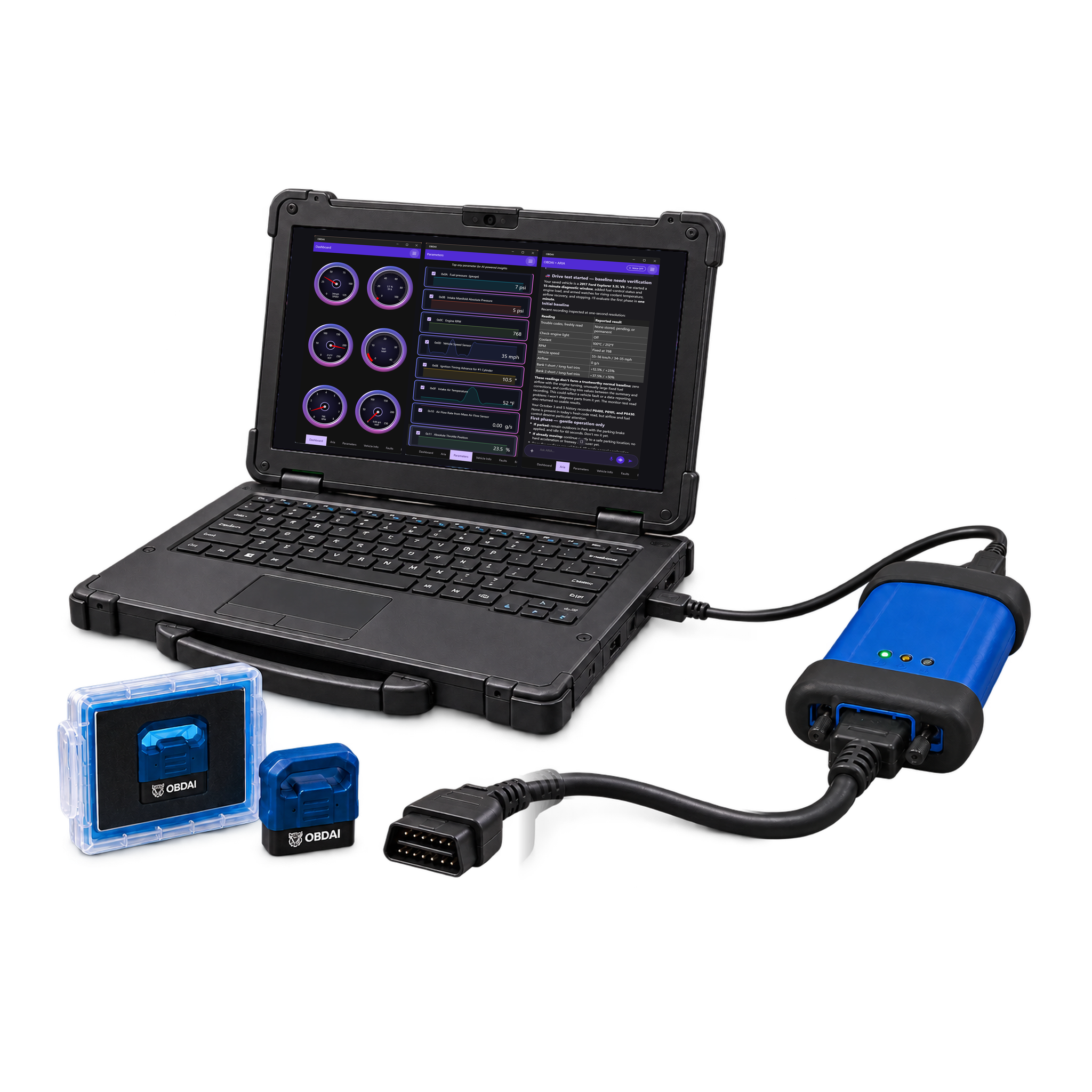
Hit the ground running with the pro shop tools you already own. Get your license key, download the Windows app and fire it up.
VCI and PC not included · GEN2 wireless adapter included



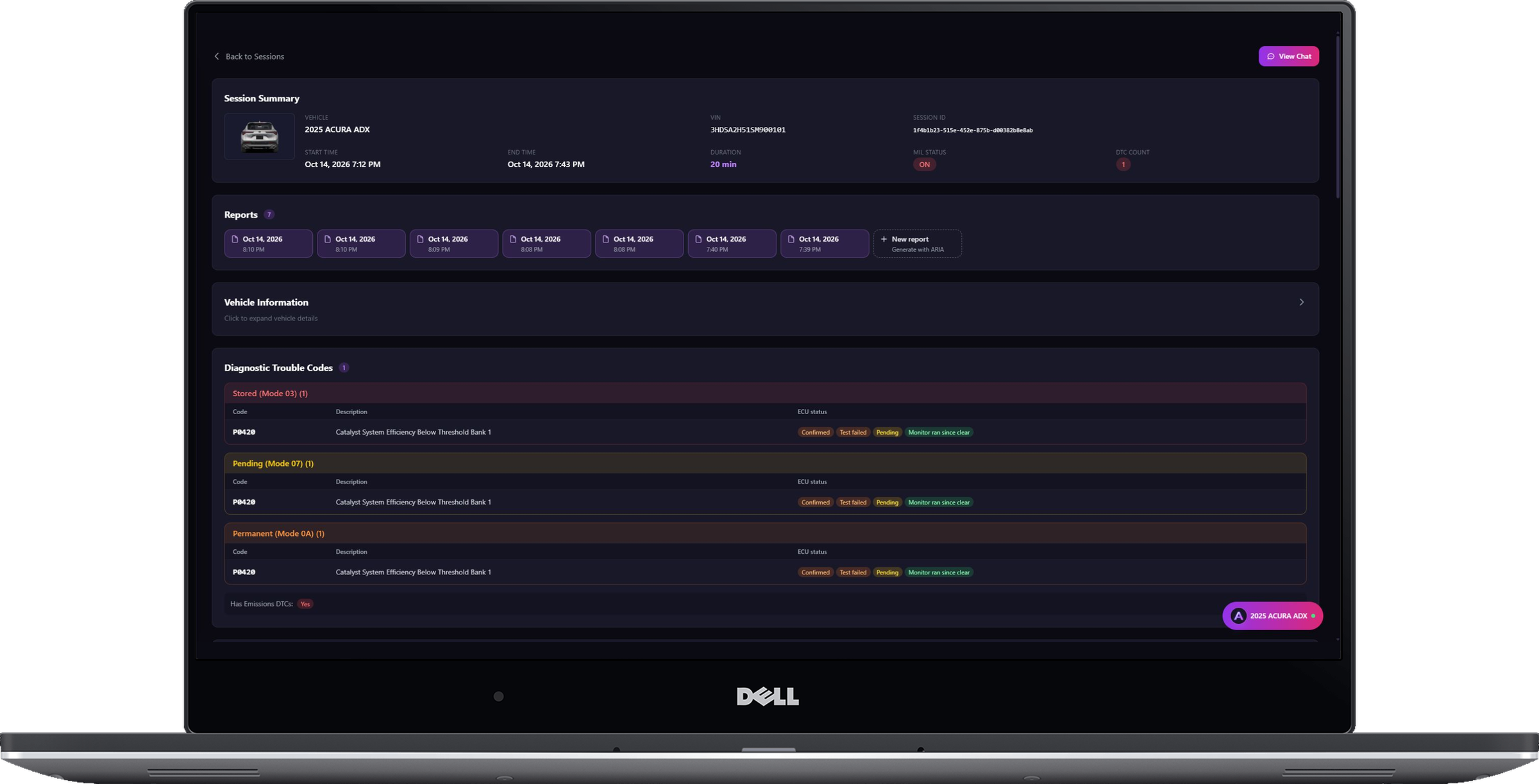


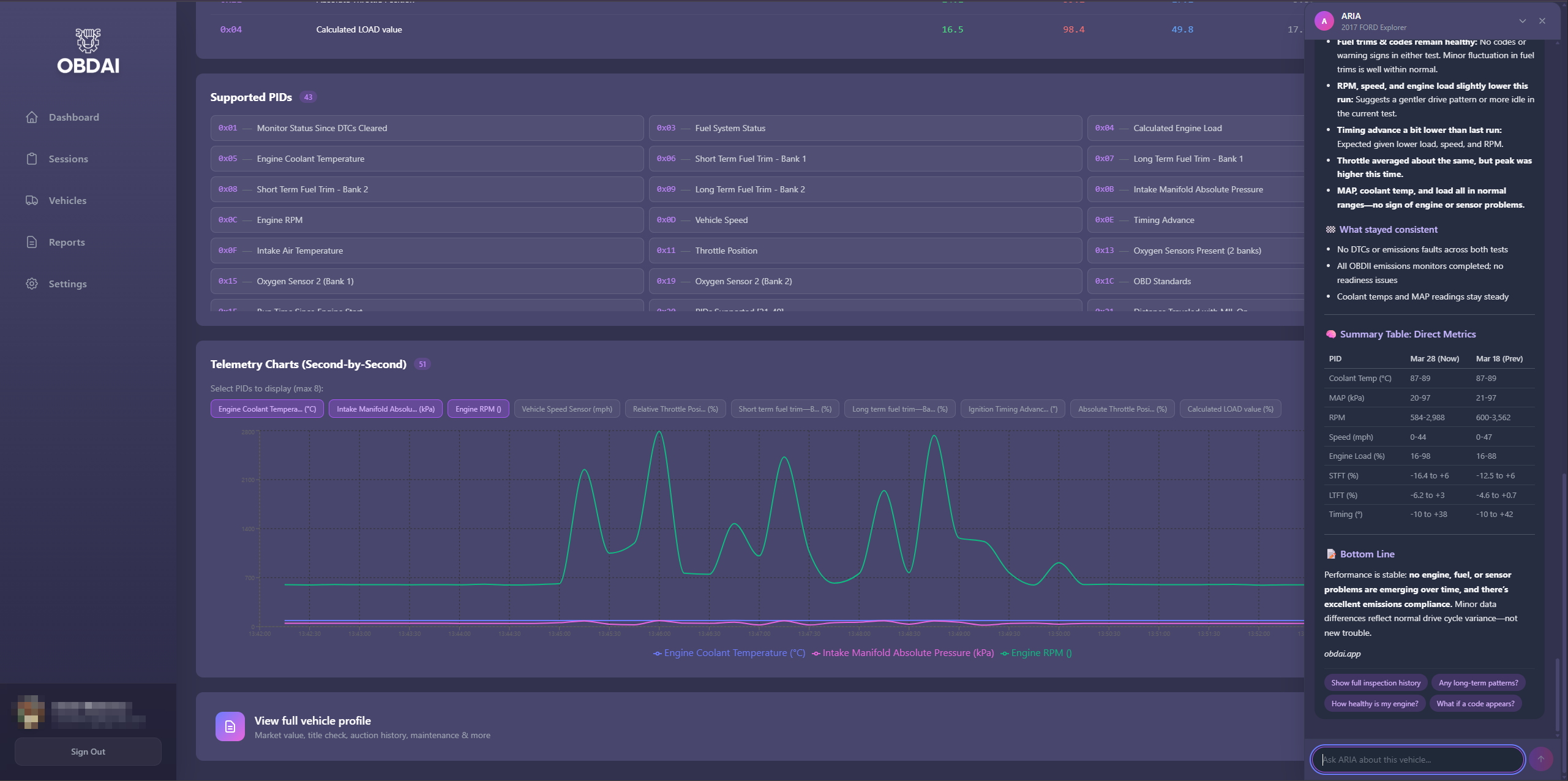
Real analysis from recorded vehicle sessions.
ARIA connects monitor results, operating conditions and parameter behavior.
Compare sessions and check the distance from the ECU’s reported limits.
Keep the analysis with the vehicle and share a clear report.
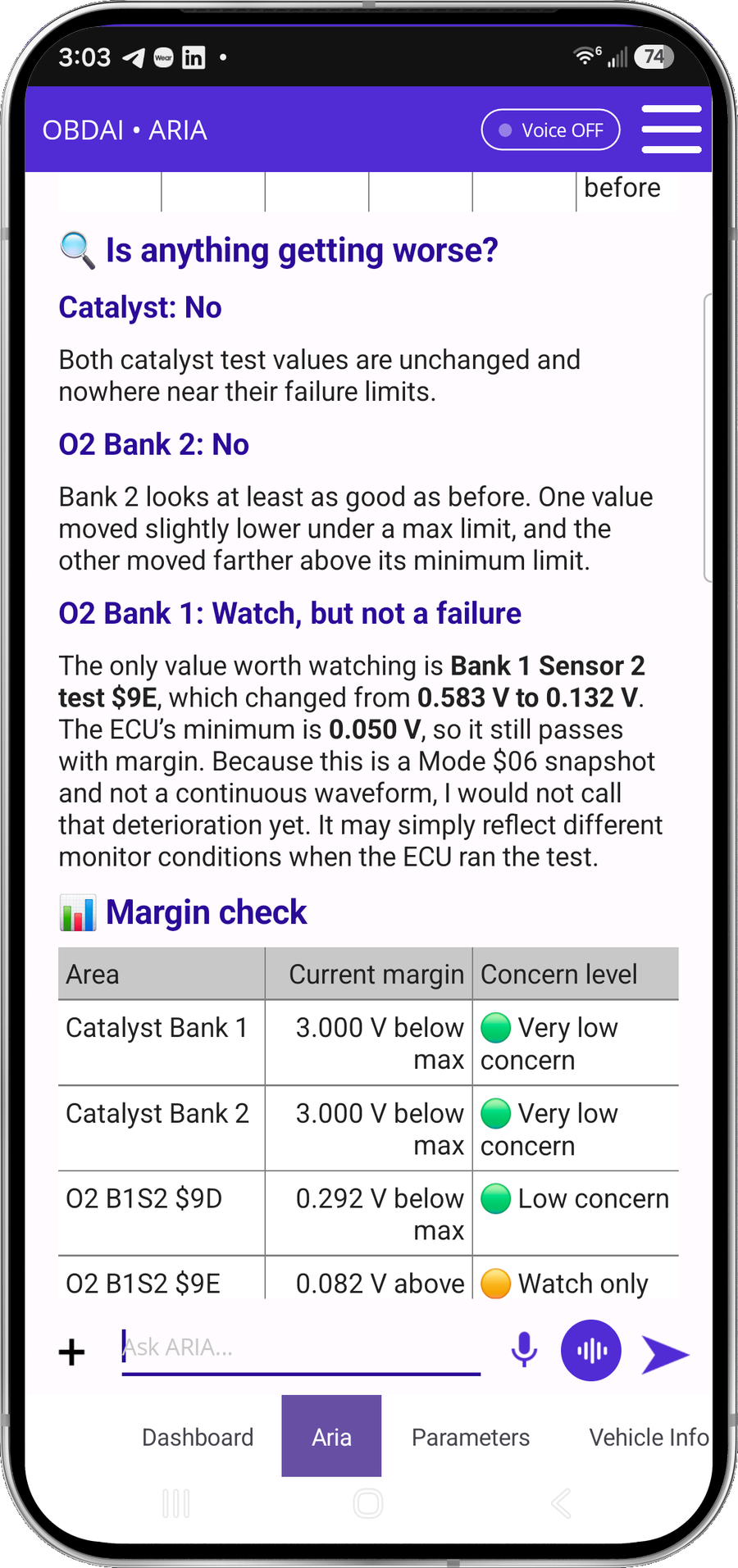
In this recorded example, ARIA compares 0.583 V with 0.132 V against a 0.050 V minimum. She explains the remaining margin and why a single monitor snapshot does not establish deterioration.
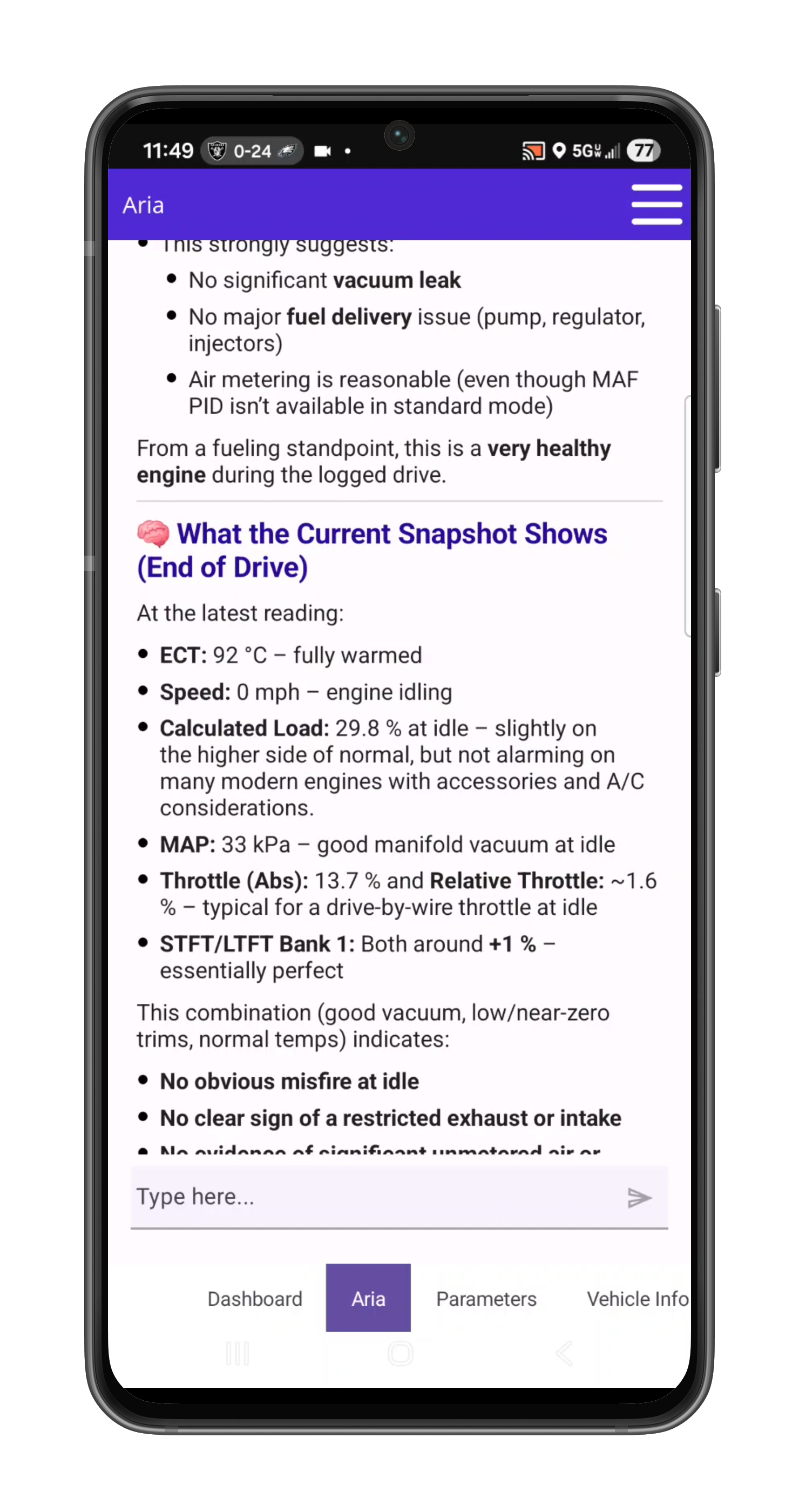
ARIA considers coolant temperature, load, manifold pressure, throttle and fuel trims together. The explanation ties the measurements to the vehicle’s operating state.
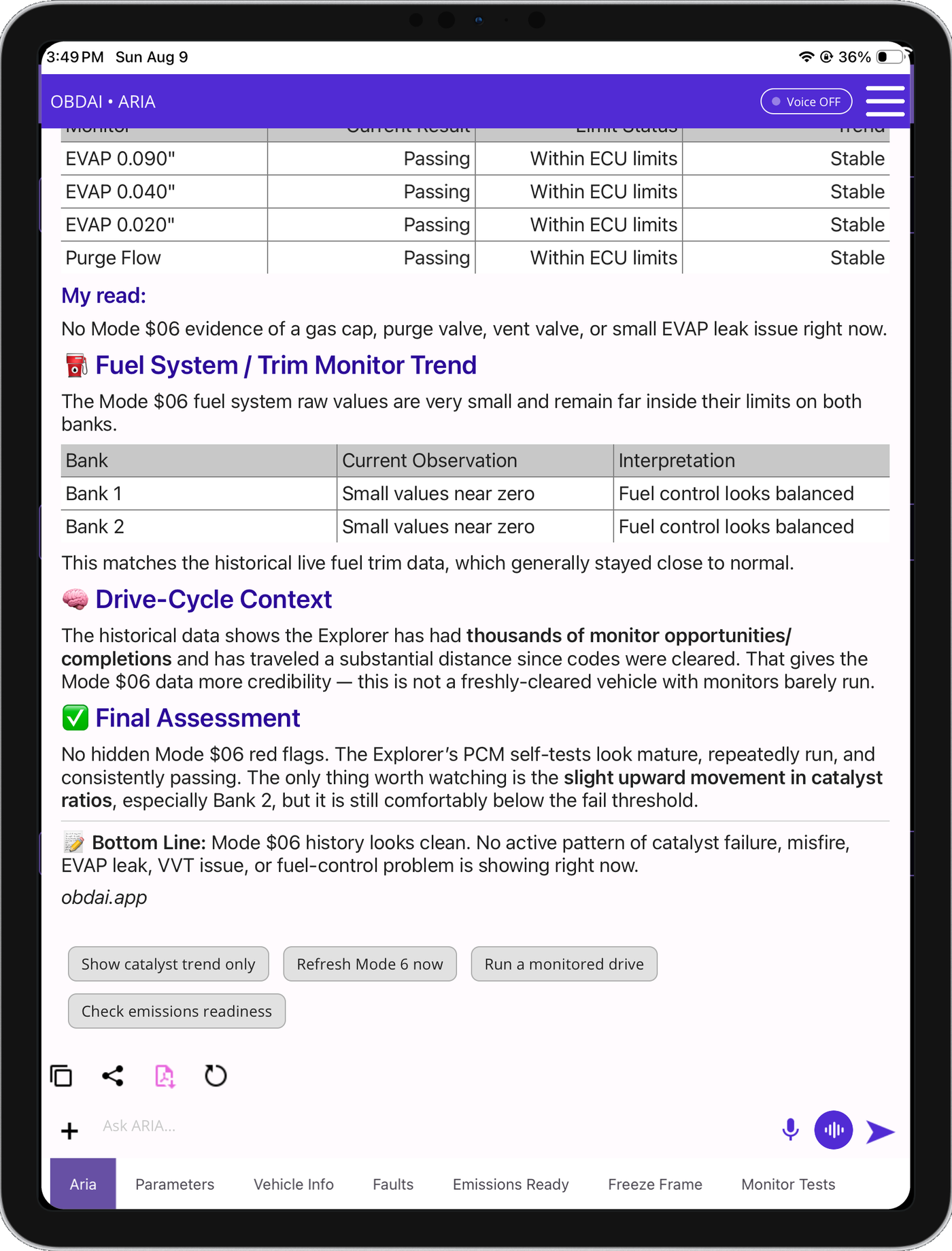
ARIA compares monitor trends with past fuel trims and drive-cycle context. In this example, she identifies a catalyst ratio worth watching while explaining that it remains below the failure threshold.
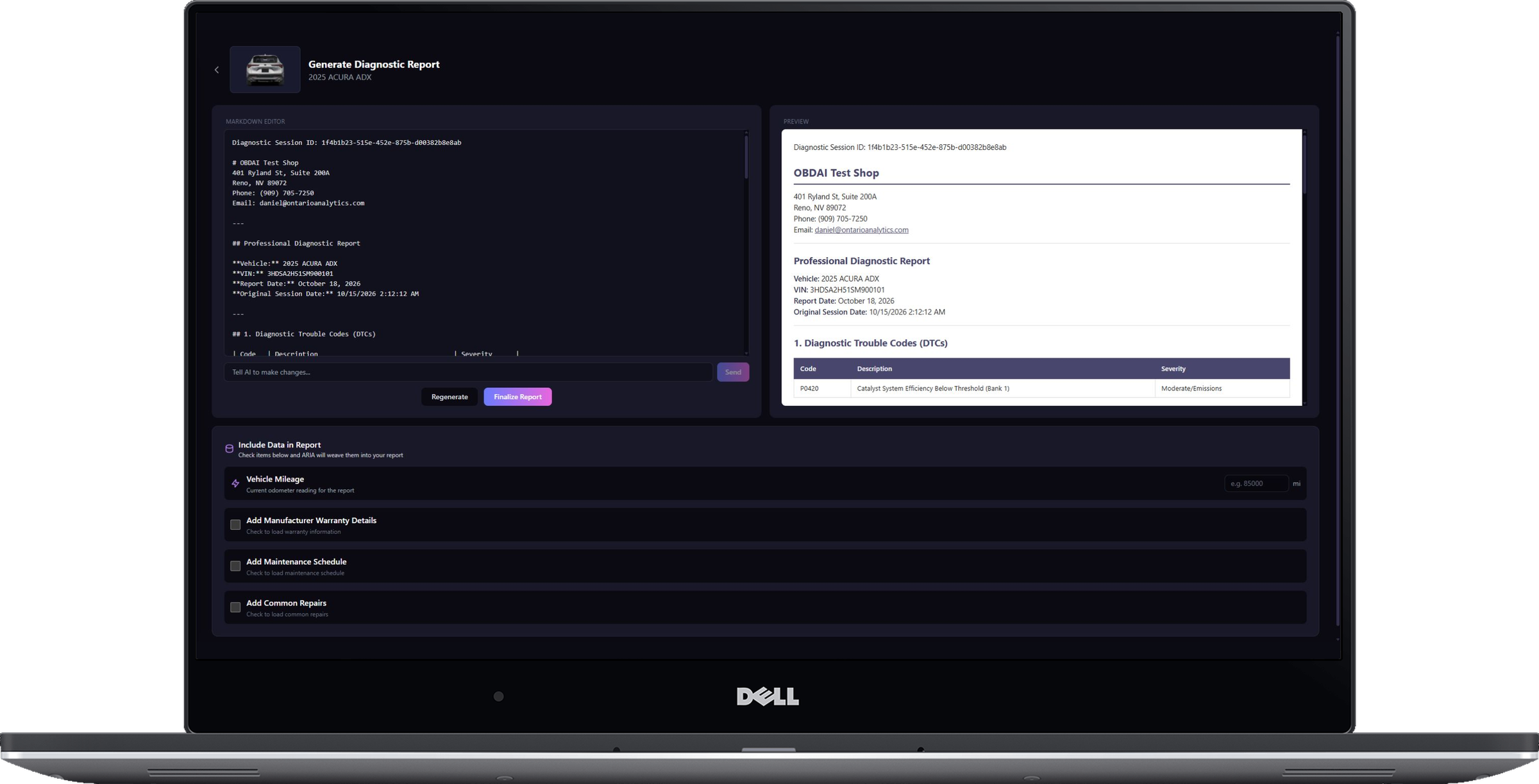
Continue the analysis with interactive ARIA Web Chat, choose the source session and turn the findings into an editable, shop-branded report with repair and maintenance context.
See the vehicle at the moment the fault set, then check the monitor evidence manufacturers use to judge component performance.
Selectable parameter graphs, six fixed dashboard gauges, emissions readiness and complete parameter coverage—presented as the actual product, not caption art.
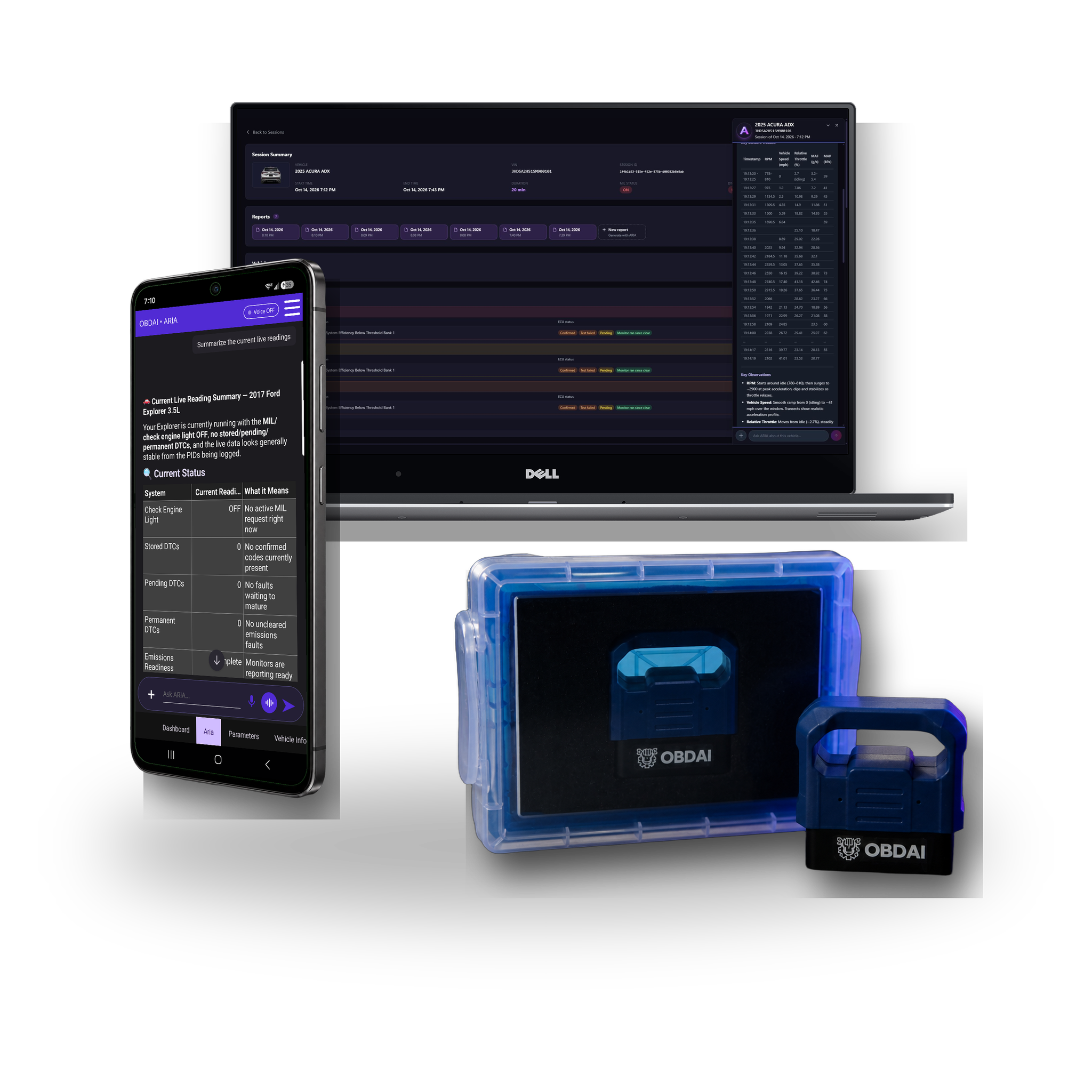
The OBD BLE GEN2 adapter connects the vehicle to OBDAI and enables SAE J1979-2 support. It arrives protected in its own case.
Ask ARIA for connector pinouts, wiring tests, specifications or factory diagnostic procedures. She digs through factory and primary service sources and returns a cited report with a practical next test.
Give her the vehicle, your question and any readings you want checked, then approve the research in chat.
Pro: 3 research jobs/month · Ultra: 10
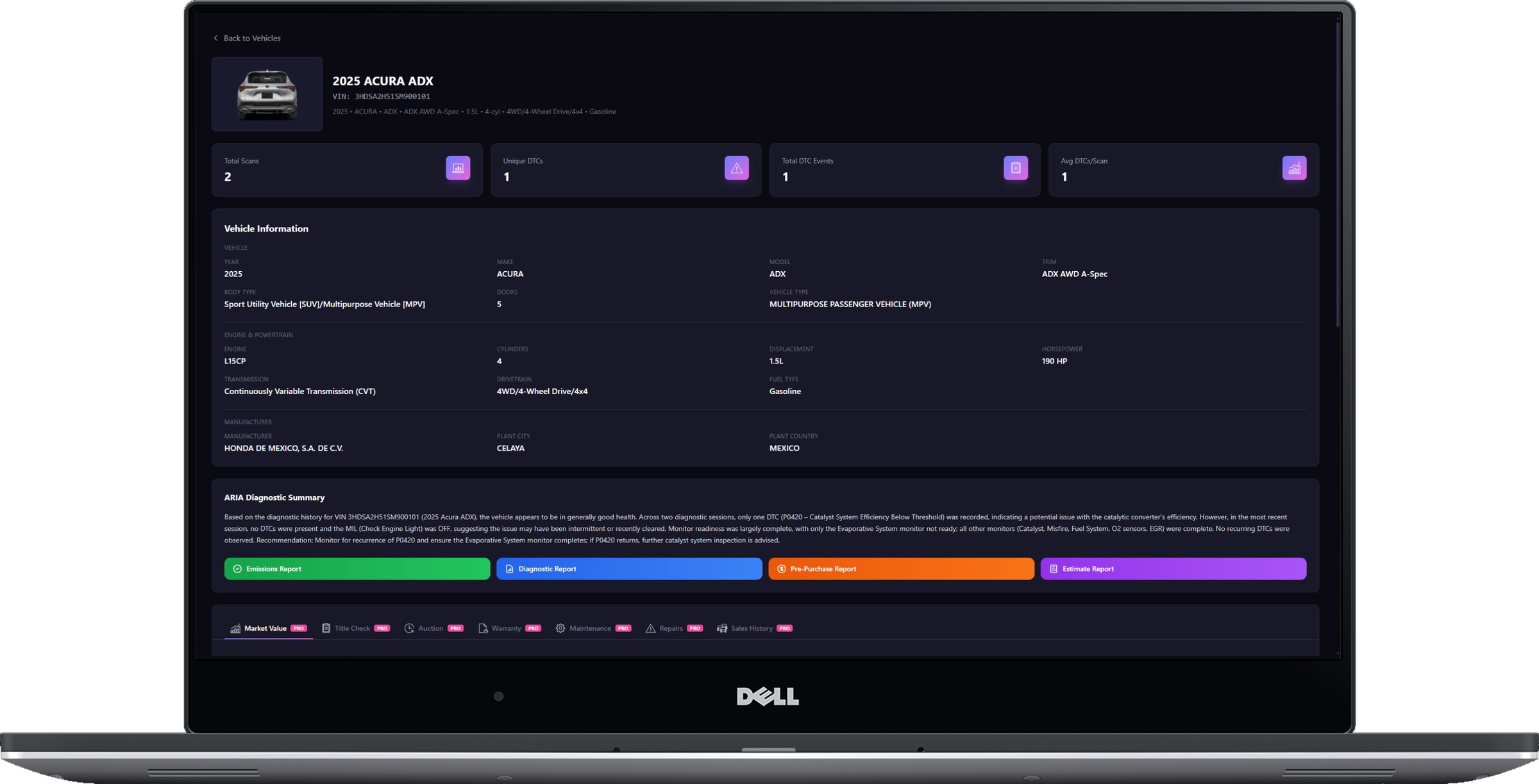
Keep the diagnostic evidence, repair pricing and customer communication in one workflow. Pro adds the business tools that turn your findings into customer-ready work.
| Capability | What you can do |
|---|---|
| Everything in Premium | Keep ARIA-led road tests, standard diagnostics, recorded-data review and vehicle memory. |
| Manufacturer-specific data | ARIA goes past the engine computer into modules like body control, brakes, airbags, power steering, parking aid, trailer brake, transfer case, climate, seats and EV battery. Available modules and readings vary by vehicle and adapter type. |
| OBD-II — J1979-1 & J1979-2 (OBDonUDS) | Check supported fault codes, live data, freeze frame, Mode 6 and readiness. Includes OBDonUDS through GEN2. |
| Build the repair estimate | Turn a scan into a printable estimate with parts and labor line items and a customer signature line. |
| Choose the repair price | Use national-average independent-shop or dealer pricing, or enter your own parts and labor amounts. |
| Choose the report for the job | Create diagnostic, repair estimate, emissions inspection and pre-purchase inspection reports. |
| Put your shop on it | Edit shop-branded reports, ask AI for changes, and finalize a customer-ready PDF. |
| Research the difficult question | On request, ARIA researches factory pinouts, circuit tests, specifications and diagnostic procedures in chat. |
| Work with ARIA on the web | Continue the session in interactive ARIA Web Chat and the web report builder. |
Repair estimates use all-inclusive independent-shop or dealer benchmarks, or your own parts and labor amounts per line. A signature line is included. Emissions reports are pre-checks, not official inspection certificates.
Factory-information research runs on request in ARIA chat, after you agree, and depends on published source availability.
Every plan puts ARIA in charge of the scan tool: tell her the symptom, talk or send a photo, and let her choose readings, schedule check-ins and watch for changes. She reviews the recorded drive second by second and remembers the vehicle. Choose the tools you need to turn that evidence into your next step.
| What you need | Premium | Pro | Ultra |
|---|---|---|---|
| Best fit | Find the next test before buying parts | Diagnose, price and document shop work | The Pro workflow through Windows J2534 |
| Standard OBD-II data — SAE J1979-1 | Included | Included | Included |
| OBDonUDS — SAE J1979-2 | Not included today | With GEN2 | With GEN2 or Windows J2534 |
| Browser workflow | History with website purchases | Interactive ARIA and report builder | All Pro web tools |
| Repair estimates | Not included | Parts and labor, price choices and a signature line | All Pro estimate tools |
| Report workflow | App PDF export | Diagnostic, repair, emissions and pre-purchase reports | All Pro report types |
| Factory information research | Not included | On request in ARIA chat | On request in ARIA chat |
| Windows J2534 | Not included | Not included | One transferable Windows seat |
| What you need | Premium |
|---|---|
| Best fit | Find the next test before buying parts |
| Standard OBD-II data — SAE J1979-1 | Included |
| OBDonUDS — SAE J1979-2 | Not included today |
| Browser workflow | History with website purchases |
| Repair estimates | Not included |
| Report workflow | App PDF export |
| Factory information research | Not included |
| Windows J2534 | Not included |
| What you need | Pro |
|---|---|
| Best fit | Diagnose, price and document shop work |
| Standard OBD-II data — SAE J1979-1 | Included |
| OBDonUDS — SAE J1979-2 | With GEN2 |
| Browser workflow | Interactive ARIA and report builder |
| Repair estimates | Parts and labor, price choices and a signature line |
| Report workflow | Diagnostic, repair, emissions and pre-purchase reports |
| Factory information research | On request in ARIA chat |
| Windows J2534 | Not included |
| What you need | Ultra |
|---|---|
| Best fit | The Pro workflow through Windows J2534 |
| Standard OBD-II data — SAE J1979-1 | Included |
| OBDonUDS — SAE J1979-2 | With GEN2 or Windows J2534 |
| Browser workflow | All Pro web tools |
| Repair estimates | All Pro estimate tools |
| Report workflow | All Pro report types |
| Factory information research | On request in ARIA chat |
| Windows J2534 | One transferable Windows seat |
Every first-year bundle includes a shipped GEN2 adapter. Renewal is service only. Prices, renewals and allowances are shown in the purchase summary.
Premium browser history is included with website purchases; app-store Premium does not include dashboard access. Pro and Ultra add interactive ARIA Web Chat and web report tools.
Real analysis from recorded vehicle sessions.
ARIA connects monitor results, operating conditions and parameter behavior.
Compare sessions and check the distance from the ECU’s reported limits.
Keep the analysis with the vehicle and share a clear report.
In this recorded example, ARIA compares 0.583 V with 0.132 V against a 0.050 V minimum. She explains the remaining margin and why a single monitor snapshot does not establish deterioration.
ARIA considers coolant temperature, load, manifold pressure, throttle and fuel trims together. The explanation ties the measurements to the vehicle’s operating state.
ARIA compares monitor trends with past fuel trims and drive-cycle context. In this example, she identifies a catalyst ratio worth watching while explaining that it remains below the failure threshold.
Turn the session into a clear OBDAI report you can download, share and review later with the vehicle history.
See the vehicle at the moment the fault set, then check the monitor evidence manufacturers use to judge component performance.
Selectable parameter graphs, six fixed dashboard gauges, emissions readiness and complete parameter coverage—presented as the actual product, not caption art.
The included OBD BLE GEN2 adapter adds BLE 5.0, broader protocol support and up to six compatible sensor readings per exchange.
Investigate the symptom before replacing parts on a guess. ARIA runs the diagnostic workflow; the included GEN2 adapter connects her to the vehicle.
| Capability | What you can do |
|---|---|
| Start with the symptom | Tell ARIA what the car is doing. Use voice, text or a photo to give her the context. |
| Run the road test | ARIA chooses readings, schedules check-ins and watches key signals while you drive. |
| Replay what happened | Review the drive second by second so an intermittent problem has evidence behind it. |
| Standard OBD-II data — SAE J1979-1 | Check supported fault codes, live data, freeze frame, Mode 6 and emissions readiness. |
| Review the recorded evidence | ARIA can review all available recorded standard OBD II values from your session. |
| Keep the vehicle context | Use vehicle memory and diagnostic history to pick up where you left off. |
| Take the findings with you | Export a PDF report from the app. |
| Review history in a browser | Website-purchased Premium includes browser history access. |
| Connect with GEN2 | The first-year bundle includes a shipped GEN2 adapter. |
Standard diagnostics use SAE J1979. Available readings and tests depend on the vehicle. OBDonUDS is included with Pro and Ultra today.
Premium includes app PDF export. Web repair estimates, shop-branded reports, emissions pre-check reports and pre-purchase reports are Pro/Ultra features.
Every plan puts ARIA in charge of the scan tool: tell her the symptom, talk or send a photo, and let her choose readings, schedule check-ins and watch for changes. She reviews the recorded drive second by second and remembers the vehicle. Choose the tools you need to turn that evidence into your next step.
| What you need | Premium | Pro | Ultra |
|---|---|---|---|
| Best fit | Find the next test before buying parts | Diagnose, price and document shop work | The Pro workflow through Windows J2534 |
| Standard OBD-II data — SAE J1979-1 | Included | Included | Included |
| OBDonUDS — SAE J1979-2 | Not included today | With GEN2 | With GEN2 or Windows J2534 |
| Browser workflow | History with website purchases | Interactive ARIA and report builder | All Pro web tools |
| Repair estimates | Not included | Parts and labor, price choices and a signature line | All Pro estimate tools |
| Report workflow | App PDF export | Diagnostic, repair, emissions and pre-purchase reports | All Pro report types |
| Factory information research | Not included | On request in ARIA chat | On request in ARIA chat |
| Windows J2534 | Not included | Not included | One transferable Windows seat |
| What you need | Premium |
|---|---|
| Best fit | Find the next test before buying parts |
| Standard OBD-II data — SAE J1979-1 | Included |
| OBDonUDS — SAE J1979-2 | Not included today |
| Browser workflow | History with website purchases |
| Repair estimates | Not included |
| Report workflow | App PDF export |
| Factory information research | Not included |
| Windows J2534 | Not included |
| What you need | Pro |
|---|---|
| Best fit | Diagnose, price and document shop work |
| Standard OBD-II data — SAE J1979-1 | Included |
| OBDonUDS — SAE J1979-2 | With GEN2 |
| Browser workflow | Interactive ARIA and report builder |
| Repair estimates | Parts and labor, price choices and a signature line |
| Report workflow | Diagnostic, repair, emissions and pre-purchase reports |
| Factory information research | On request in ARIA chat |
| Windows J2534 | Not included |
| What you need | Ultra |
|---|---|
| Best fit | The Pro workflow through Windows J2534 |
| Standard OBD-II data — SAE J1979-1 | Included |
| OBDonUDS — SAE J1979-2 | With GEN2 or Windows J2534 |
| Browser workflow | All Pro web tools |
| Repair estimates | All Pro estimate tools |
| Report workflow | All Pro report types |
| Factory information research | On request in ARIA chat |
| Windows J2534 | One transferable Windows seat |
Every first-year bundle includes a shipped GEN2 adapter. Renewal is service only. Prices, renewals and allowances are shown in the purchase summary.
Premium browser history is included with website purchases; app-store Premium does not include dashboard access. Pro and Ultra add interactive ARIA Web Chat and web report tools.
Real analysis from recorded vehicle sessions.
ARIA connects monitor results, operating conditions and parameter behavior.
Compare sessions and check the distance from the ECU’s reported limits.
Keep the analysis with the vehicle and share a clear report.
In this recorded example, ARIA compares 0.583 V with 0.132 V against a 0.050 V minimum. She explains the remaining margin and why a single monitor snapshot does not establish deterioration.
ARIA considers coolant temperature, load, manifold pressure, throttle and fuel trims together. The explanation ties the measurements to the vehicle’s operating state.
ARIA compares monitor trends with past fuel trims and drive-cycle context. In this example, she identifies a catalyst ratio worth watching while explaining that it remains below the failure threshold.
Turn the session into a clear OBDAI report you can download, share and review later with the vehicle history.
See the vehicle at the moment the fault set, then check the monitor evidence manufacturers use to judge component performance.
Selectable parameter graphs, six fixed dashboard gauges, emissions readiness and complete parameter coverage—presented as the actual product, not caption art.
The standard wireless GEN1 interface is included with the complete Premium software experience for supported vehicles.
OBDAI Ultra on Windows
Autel, TOPDON, THINKCAR and MUCAR tablets make you drill down: make, model, year, system, module, data list. Then back out and do it again for the next module. Ultra puts ARIA on the J2534 VCI you already own, and you just ask.
Read it, back out, pick the next module, start over. Then figure out what it all means on your own.
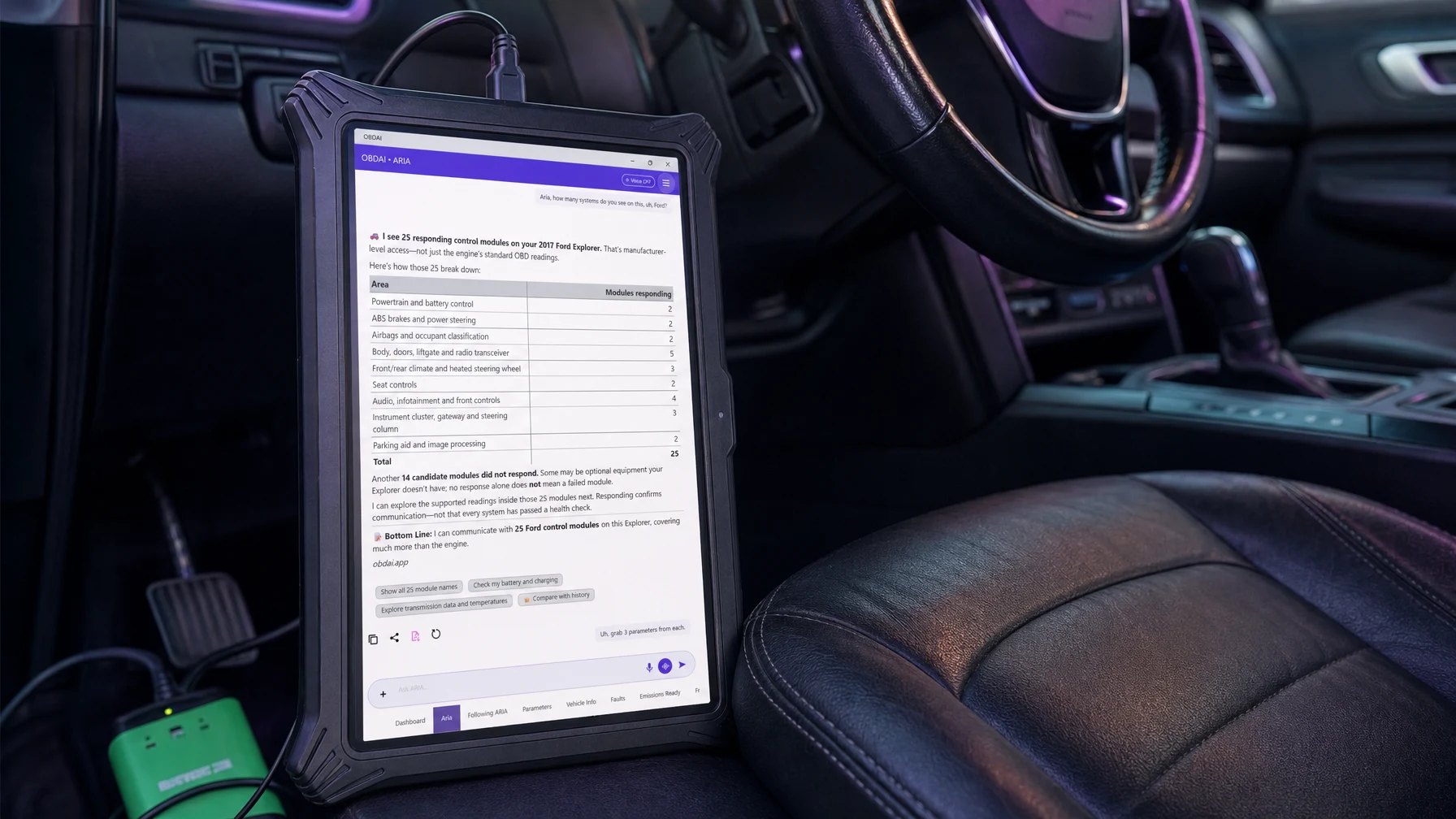
"Aria, how many systems do you see on this Ford?"
One question. ARIA finds the modules, pulls the readings and tells you what matters.
Example: one real session on a 2017 Ford Explorer with a Bosch VCI. Your numbers depend on the vehicle and your interface.
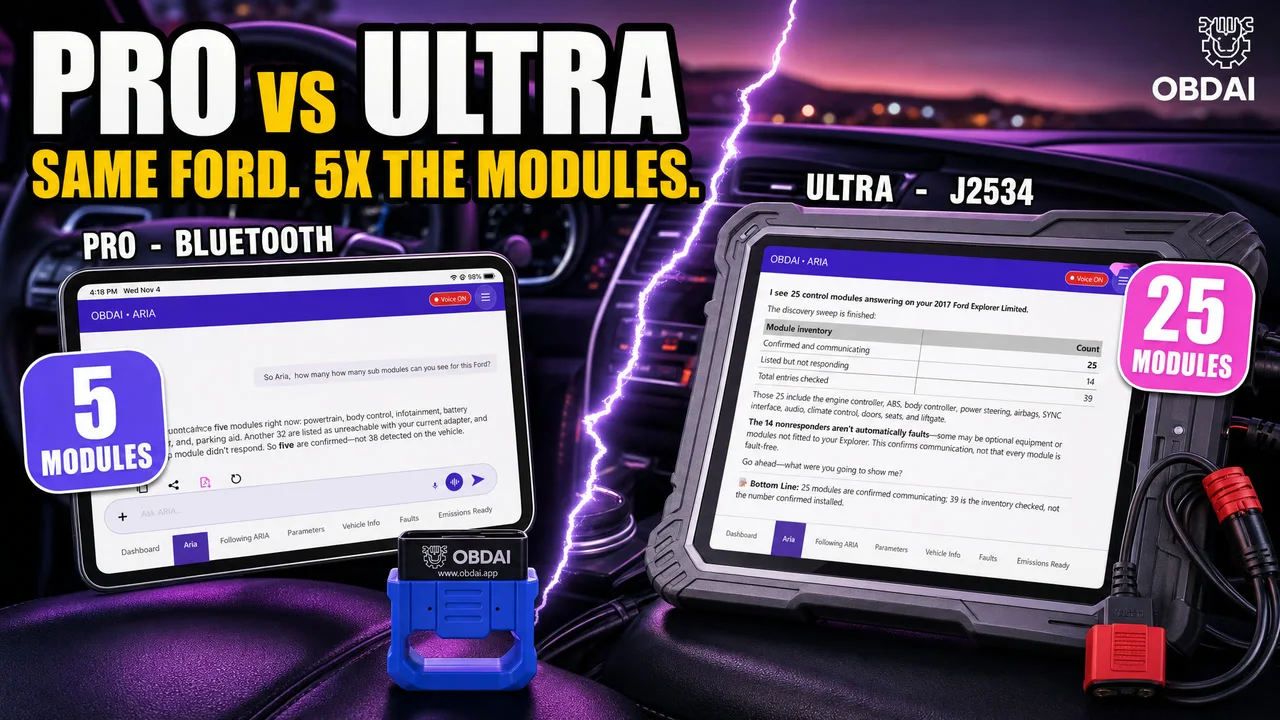
ARIA sweeps the vehicle and comes back with 25 responding control modules, sorted by area: powertrain and battery, ABS and steering, airbags, body and doors, climate, seats, infotainment, cluster and parking aid.
She also tells you 14 more didn't answer, and that no answer doesn't mean a dead module. Some are options this truck doesn't have.
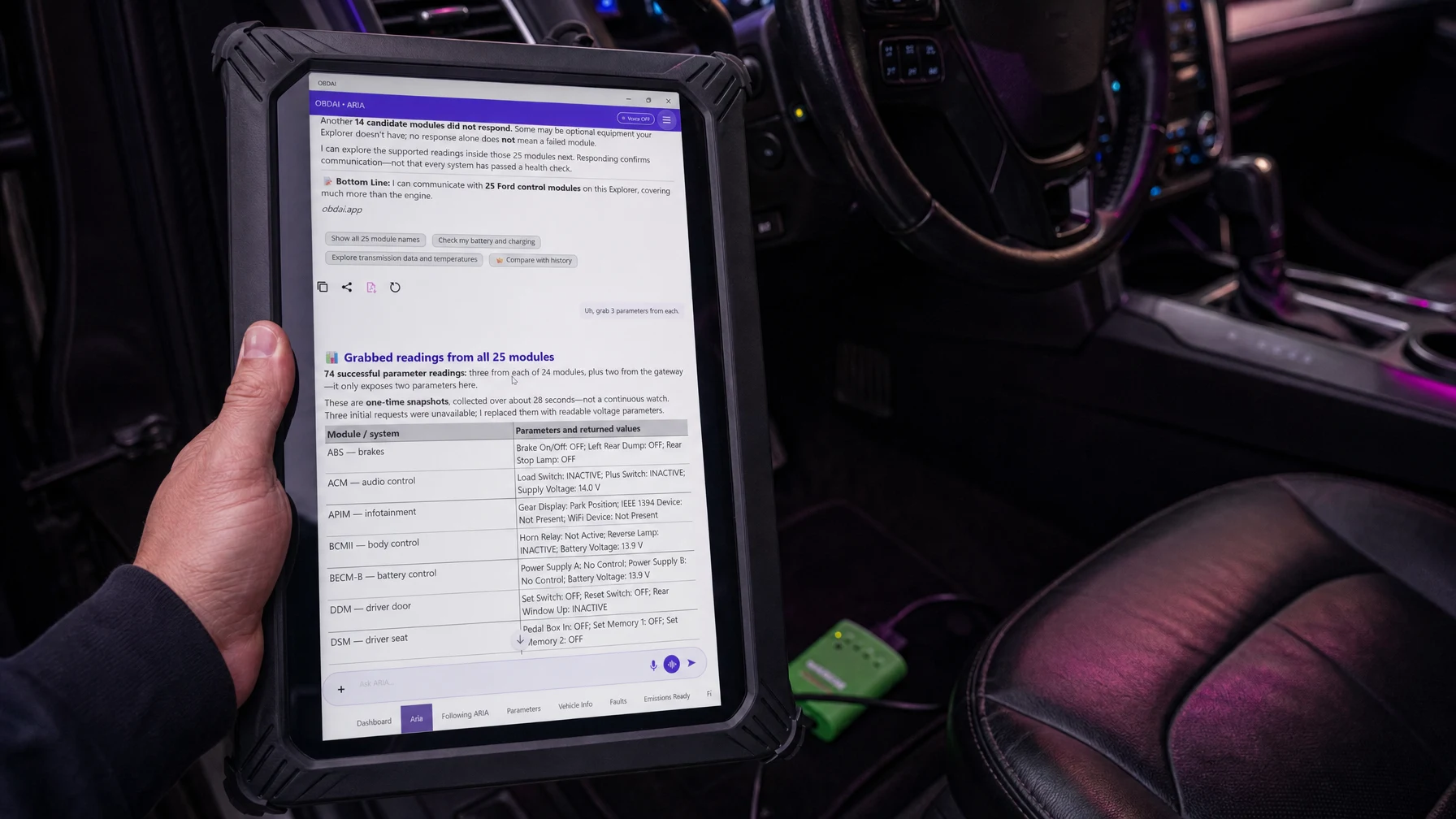
74 readings from all 25 modules in one answer. Brakes, doors, seats, liftgate, airbags, power steering, battery control, rear climate, radio. Three from every module, two from the gateway because that's all it exposes.
When three requests came back unavailable, she swapped in readable ones on her own. Nobody had to pick a single item from a list.
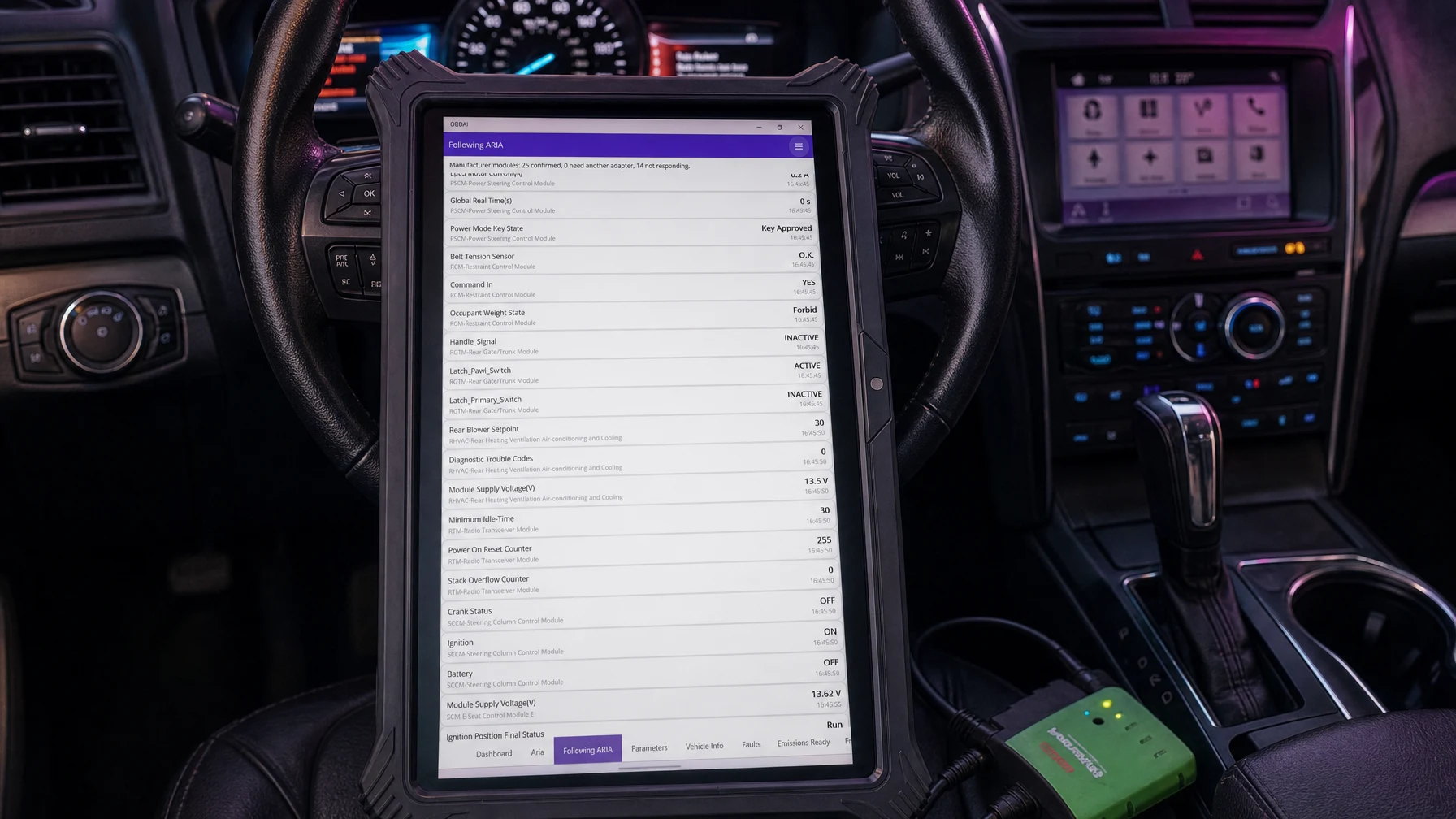
Every value ARIA pulls lands on the Following ARIA screen, labeled by module with a timestamp. Power steering key state, belt tension sensor, occupant weight, liftgate latch, rear blower, module voltages.
No black box. You watch the evidence come in, and it's saved with the session.
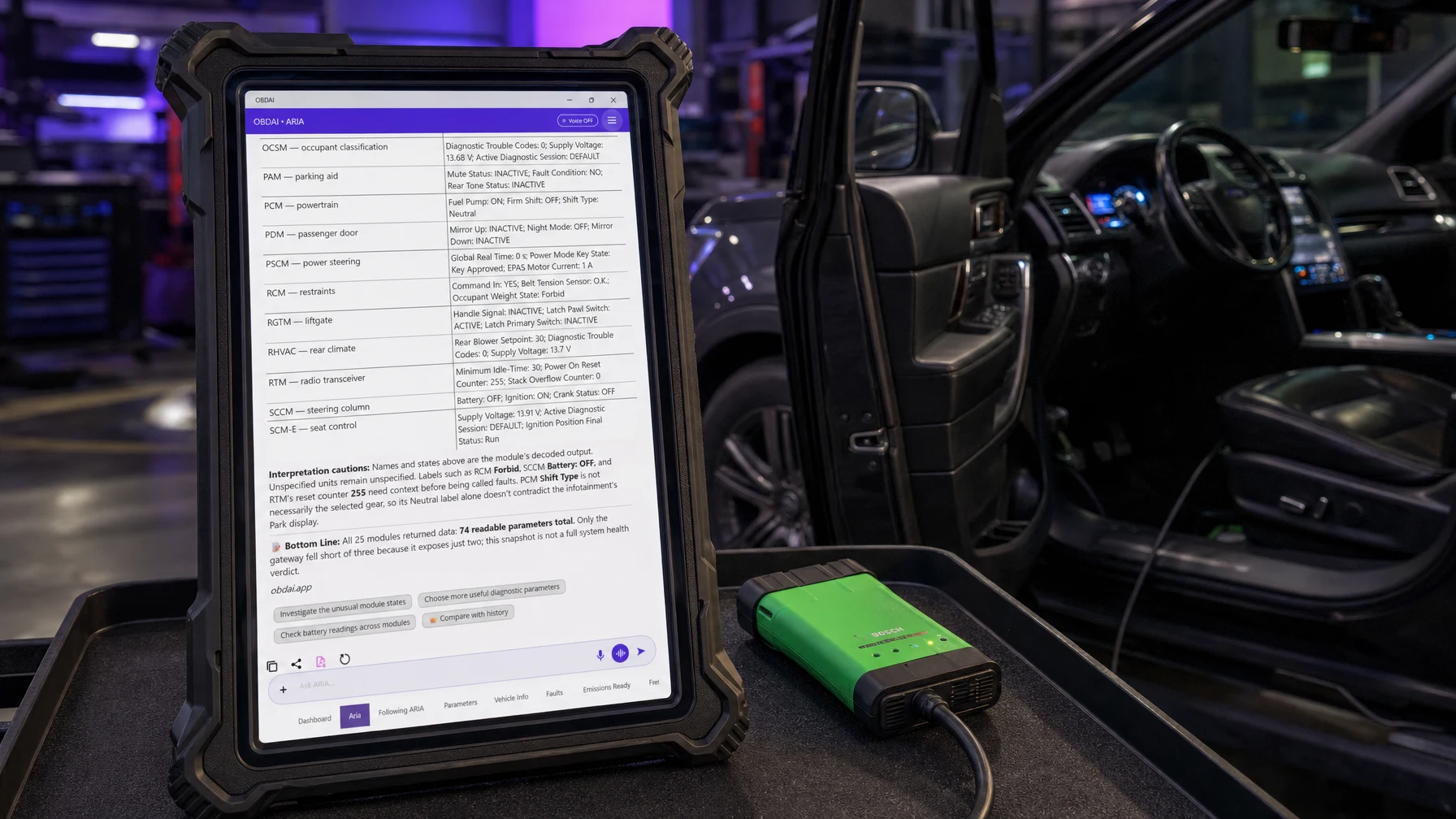
A scan tool hands you a wall of values and leaves you to guess. ARIA flags what needs context before anybody calls it a fault: an airbag occupant state of "Forbid", a radio reset counter at 255, a shift-type label that doesn't match the gear display.
That's the difference between data and a diagnosis.
Same 2017 Explorer, same questions. The Bluetooth GEN2 that ships with every Ultra sees 5 modules. Plug in a J2534 VCI and ARIA sees 25, then pulls readings from every one of them.
Modules and readings vary by vehicle, interface and supported systems. Device scenes are illustrations; every screen shown is a real OBDAI screen from a 2017 Ford Explorer session on November 4, 2026. Use your Windows J2534-compatible interface with its manufacturer's driver. The VCI and Windows PC are not included; the GEN2 wireless adapter is.
OBDAI Ultra works with Windows J2534-compatible interfaces. OBDAI implements the J2534 04.04 and 05.00 standards, so compatibility extends across manufacturers. Common interfaces include the devices below.
| Brand or family | Look for your interface |
|---|---|
| Bosch / OTC | Mastertech M-VCI / Mastertech VCI; Mastertech II / MTECH2; Bosch Flasher Pro; MTS 6531; GVCI-MX / MTS 6534; MTS 6512, 6513, 6516 and 6517; ADS-series VCI; OTC Evolve VCI |
| General Motors | GM MDI; GM MDI 2 / EL-52100 |
| Ford | VCM II / VCM2; VCM 3 / VCM III; VCMM |
| Honda / Acura | Bosch MVCI; DENSO DST-i; DST-nano; Antares Capsule / HAC |
| CarDAQ / Drew Technologies / Opus IVS | CarDAQ-Plus; CarDAQ-M / Mega-CAN; CarDAQ-Plus 2; CarDAQ-Plus 3; CarDAQ Pro; SuperGoose-Plus; DrewLinQ |
| Mongoose / Toyota Techstream Lite | Mongoose ISO/CAN; MongoosePro Chrysler, Ford, GM2, Honda, Jaguar/Land Rover, Nissan, Toyota2 and VW/Audi; Mongoose-Plus Ford2, GM3, Honda2, Subaru, Nissan2, VW/Audi, ISO/CAN3 and Chrysler2; Mongoose-Plus MFC / MFC3 / Toyota3; MongoosePro MFC2; Toyota Techstream Lite with its Mongoose interface |
| Snap-on | Pass Thru Pro II; Pass Thru Pro III; Pass Thru Pro IV / EETA113D |
| Matco | MDMaxBox / MDMAXBOX; MaxSync |
| DENSO | DST-i; DST-nano; DST-010 / DN-DST-010 variants for Toyota, Honda, Daihatsu, Subaru, Mazda and Hino |
| DG / AutoEnginuity / Cardone | VSI-2534 / VSI-J2534; VSI NxGen; VSI NxGen PLUS; d-briDGe; d-briDGe PRO; PX3; Cardone FLASH2 |
| Autel | MaxiFlash Pro; MaxiFlash Elite; JVCI; JVCI+; VCI; VCMI; VCMI2; XLink |
| LAUNCH | J-Box2; SmartLink C; SmartLink C V2.0; SmartLink C V3.0 |
| TOPDON | RLink J2534; RLink Lite; RLink X7; RLink X3; Phoenix MDCI Pro |
| THINKCAR / XTOOL | THINKCAR ThinkLink; MUCAR 892BT PRO VCI; XTOOL XVCI MAX / J2534X; XPortal |
| Scanmatik / Tactrix | Scanmatik SM2; SM2-PRO; SM3; Tactrix Openport 2.0 |
| ACTIA / Controller Technologies | ACTIA PassThru+ XS 2G / XS2G; CTC Pulsar; UCAN; UCAN2; VehicleBox; DRB+ |
Install your interface manufacturer’s Windows J2534 driver, then select J2534 in OBDAI.
Setup help. Contact support@obdai.app for OBDAI setup help. Get VCI drivers and firmware updates from your interface manufacturer.
Your license key arrives with your order confirmation, so you can start on your own interface the same day. Your GEN2 ships separately.
Ultra ships the OBD BLE GEN2 for phone, tablet and road tests. Your VCI handles the Windows bench work. Use the GEN2 with the OBDAI app on iPhone, iPad, Android or Windows under the same account.
Ultra is not an add-on. It includes OBDAI Pro, so you keep the full Pro workflow on every device signed in to your account: ARIA diagnostics, condition watches and check-ins, the Pro dashboard, report builder with shop branding, saved reports and PDF downloads, freeze frame and Mode 6 review, and OBDonUDS on the GEN2.
Real analysis from recorded vehicle sessions.
ARIA connects monitor results, operating conditions and parameter behavior.
Compare sessions and check the distance from the ECU’s reported limits.
Keep the analysis with the vehicle and share a clear report.
In this recorded example, ARIA compares 0.583 V with 0.132 V against a 0.050 V minimum. She explains the remaining margin and why a single monitor snapshot does not establish deterioration.
ARIA considers coolant temperature, load, manifold pressure, throttle and fuel trims together. The explanation ties the measurements to the vehicle’s operating state.
ARIA compares monitor trends with past fuel trims and drive-cycle context. In this example, she identifies a catalyst ratio worth watching while explaining that it remains below the failure threshold.
Continue the analysis with interactive ARIA Web Chat, choose the source session and turn the findings into an editable, shop-branded report with repair and maintenance context.
Everything in Pro, with a licensed Windows J2534 connection. Use the interface you already own in the bay, and the included GEN2 for wireless work.
| Capability | What you can do |
|---|---|
| Everything in Pro | Use Pro’s estimates, reports, on-request research and ARIA workflow across your account devices. |
| Windows J2534 access | Includes one transferable Windows J2534 seat. Check interface requirements → |
| Manufacturer-specific data | ARIA goes past the engine computer into modules like body control, brakes, airbags, power steering, parking aid, trailer brake, transfer case, climate, seats and EV battery. Available modules and readings vary by vehicle and adapter type. |
| OBD-II — J1979-1 & J1979-2 (OBDonUDS) | Check supported fault codes, live data, freeze frame, Mode 6 and readiness. Includes OBDonUDS through GEN2 or Windows J2534. |
| Keep the evidence together | Bring recorded standard OBD-II data into the diagnostic review. |
| Finish the customer work | Turn the session into a shop-branded repair estimate, diagnostic, emissions or pre-purchase report. |
| Work offline where supported | Windows diagnostics can work offline after activation. ARIA and cloud services require internet. |
| GEN2 is included too | The first-year bundle includes a shipped GEN2 adapter. |
Use a compatible Windows J2534 interface and its manufacturer’s driver. The VCI, Windows PC and manufacturer software or subscriptions are not included. Factory-information research runs on request in ARIA chat.
Emissions reports are pre-check documents, not official inspection certificates.
Every plan puts ARIA in charge of the scan tool: tell her the symptom, talk or send a photo, and let her choose readings, schedule check-ins and watch for changes. She reviews the recorded drive second by second and remembers the vehicle. Choose the tools you need to turn that evidence into your next step.
| What you need | Premium | Pro | Ultra |
|---|---|---|---|
| Best fit | Find the next test before buying parts | Diagnose, price and document shop work | The Pro workflow through Windows J2534 |
| Standard OBD-II data — SAE J1979-1 | Included | Included | Included |
| OBDonUDS — SAE J1979-2 | Not included today | With GEN2 | With GEN2 or Windows J2534 |
| Browser workflow | History with website purchases | Interactive ARIA and report builder | All Pro web tools |
| Repair estimates | Not included | Parts and labor, price choices and a signature line | All Pro estimate tools |
| Report workflow | App PDF export | Diagnostic, repair, emissions and pre-purchase reports | All Pro report types |
| Factory information research | Not included | On request in ARIA chat | On request in ARIA chat |
| Windows J2534 | Not included | Not included | One transferable Windows seat |
| What you need | Premium |
|---|---|
| Best fit | Find the next test before buying parts |
| Standard OBD-II data — SAE J1979-1 | Included |
| OBDonUDS — SAE J1979-2 | Not included today |
| Browser workflow | History with website purchases |
| Repair estimates | Not included |
| Report workflow | App PDF export |
| Factory information research | Not included |
| Windows J2534 | Not included |
| What you need | Pro |
|---|---|
| Best fit | Diagnose, price and document shop work |
| Standard OBD-II data — SAE J1979-1 | Included |
| OBDonUDS — SAE J1979-2 | With GEN2 |
| Browser workflow | Interactive ARIA and report builder |
| Repair estimates | Parts and labor, price choices and a signature line |
| Report workflow | Diagnostic, repair, emissions and pre-purchase reports |
| Factory information research | On request in ARIA chat |
| Windows J2534 | Not included |
| What you need | Ultra |
|---|---|
| Best fit | The Pro workflow through Windows J2534 |
| Standard OBD-II data — SAE J1979-1 | Included |
| OBDonUDS — SAE J1979-2 | With GEN2 or Windows J2534 |
| Browser workflow | All Pro web tools |
| Repair estimates | All Pro estimate tools |
| Report workflow | All Pro report types |
| Factory information research | On request in ARIA chat |
| Windows J2534 | One transferable Windows seat |
Every first-year bundle includes a shipped GEN2 adapter. Renewal is service only. Prices, renewals and allowances are shown in the purchase summary.
Premium browser history is included with website purchases; app-store Premium does not include dashboard access. Pro and Ultra add interactive ARIA Web Chat and web report tools.
Monthly allowances reset at the start of each calendar month (UTC), do not roll over and have no automatic paid overage. Existing purchased terms remain protected.
| Included | Not included |
|---|---|
|
|
Shipping and tax, if applicable, are shown separately at checkout.


Reviews
There are no reviews yet.